

 Tiếng Việt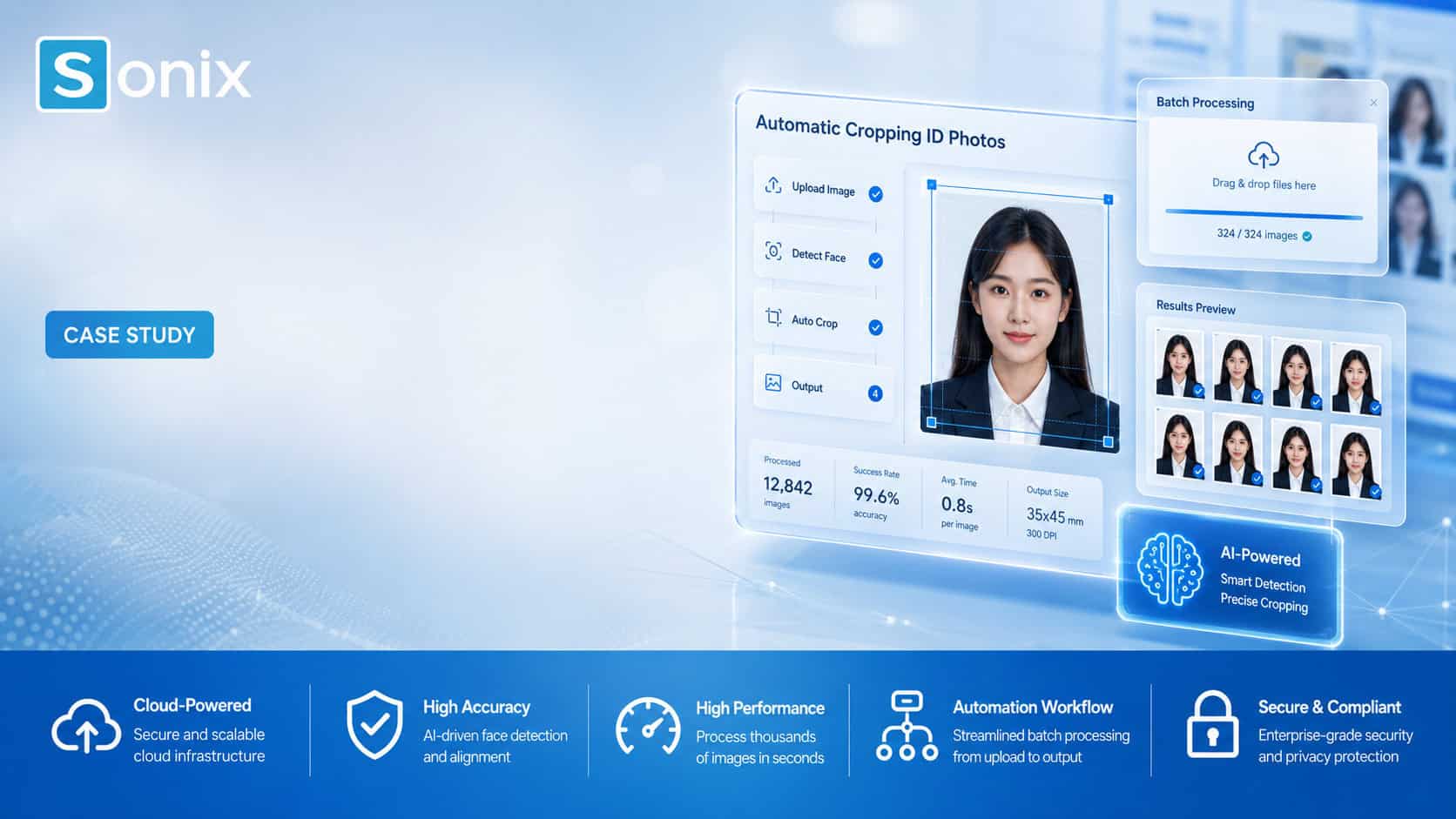
— Project Snapshot
At a Glance
| Client | M Tech Co., Ltd |
| Industry | Technology |
| Category | Software Outsourcing · Web Development |
| Location | Japan |
| Team Size | 15 Professionals |
| Phase | Coding · Unit Testing · Maintenance |
| Completed | August 2024 |
— Overview
Project Overview
Sonix partnered with M Tech Co., Ltd — a Japanese technology company — to build an intelligent ID photo cropping system. The solution applies facial detection to automatically identify the forehead-to-chin region, calculates configurable output margins, and delivers an interactive browser-based correction interface that lets operators review and refine results with full precision.
— Why Sonix
Why M Tech Chose Sonix
👀 Computer Vision Expertise Sonix has a proven track record in image processing and facial detection using Python — directly applicable to the precision demands of this project. | 💻 Purpose-Fit Tech Stack Deep proficiency with Python, Fabric.js, and the HTML Canvas API meant Sonix could deliver a pixel-perfect, browser-based editing interface without unnecessary third-party overhead. | 🌎 Bilingual Japan-Market Team Bilingual engineers and project managers bridge the Japan–Vietnam communication gap seamlessly, ensuring requirements are captured and delivered accurately from day one. |
— Challenge
The Problem to Solve
Manual ID photo cropping was creating a costly bottleneck.
M Tech’s existing workflow required operators to handle each ID photo individually — a slow, repetitive process that produced inconsistent results across different staff members. There was no standardized method for applying margins or enforcing output dimensions, meaning photo quality and formatting varied from batch to batch. As processing volumes grew, the manual approach became increasingly unsustainable. The client needed a system that could handle large numbers of images automatically, maintain strict output consistency, and still allow human intervention for edge cases that automated logic alone couldn’t resolve.
— Our Approach
How We Tackled It
1 | Face Detection & Margin Calculation Engine We built a Python-powered backend that applies facial landmark detection to accurately locate the forehead-to-chin bounding region within each image. The engine then calculates the exact crop dimensions based on configurable top, bottom, left, and right margins — adjusted dynamically to the target output resolution — so every export meets the same visual and dimensional standard. |
2 | Interactive Browser-Based Correction Interface For cases where auto-crop results required review, we designed a web interface using Fabric.js and the HTML Canvas API. Operators can zoom in and out with the mouse wheel, reposition the crop frame, rotate images, and view a real-time overlay of facial guide lines and a semi-transparent margin zone — all within the browser, with no additional tools required. |
3 | REST API Integration & Folder-Aware Batch Navigation All cropping logic was exposed via a clean REST API, making integration with M Tech’s existing internal systems straightforward and non-disruptive. A folder structure browser was embedded directly in the UI, allowing operators to navigate image batches efficiently, track processing status, and move through large datasets without leaving the application. |
— Solution
The Solution We Delivered
The final product is a full-stack ID photo processing system built on two tightly integrated layers. On the backend, a Python-powered engine receives images via REST API, runs facial landmark analysis to detect the precise forehead-to-chin bounding region, and calculates crop coordinates adjusted for configurable margin settings and DPI-specific output requirements. The result is a consistently formatted image ready for export.
On the frontend, a Fabric.js and HTML Canvas interface gives operators the tools to verify and correct auto-cropped results in real time. Facial guide lines and a semi-transparent margin overlay make precise alignment immediately visible. When an operator makes a manual adjustment, that correction overwrites the automated output — giving staff full authority over edge cases while preserving the efficiency gains of automation for the vast majority of images. A built-in folder browser completes the workflow, enabling smooth batch management across high-volume image sets.
— Technologies Used
Tech Stack
— Result
Outcomes & Impact
Automated Bulk Processing High-volume ID photo batches are now handled automatically, eliminating repetitive manual cropping for the vast majority of cases. | Consistent Output Quality Every exported image conforms to the same margin, dimension, and DPI spec — no variation between operators or across batches. | Flexible Manual Override Operators retain full control via the interactive correction interface, handling edge cases without disrupting the automated pipeline. |
— Key Features
Feature Highlights
| Feature | Description |
|---|---|
| Auto Face Detection | Detects the facial region (forehead to chin) using landmark analysis and calculates optimal crop coordinates automatically for each submitted image. |
| DPI-Based Output Export | Exports images at the resolution specified by the target output format, ensuring both print and digital requirements are met consistently across every batch. |
| Configurable Margin Settings | Top, bottom, left, and right margins are individually configurable to match any ID photo specification or institutional standard. |
| Facial Guide Lines & Margin Overlay | The correction interface displays facial alignment guide lines and a semi-transparent margin zone overlay, giving operators clear visual reference for precise manual adjustments. |
| Zoom, Rotate & Scale Controls | Mouse-wheel zoom, rotation, and enlarge/reduce controls allow operators to handle challenging or non-standard photos directly within the browser interface. |
| Manual Override & Overwrite | Operator-adjusted crops overwrite the automated result, giving staff final authority over the output without bypassing automation for standard-case images. |
| Folder Structure Browser | The source image folder hierarchy is displayed within the UI, enabling efficient batch navigation, progress tracking, and queue management for large datasets. |
| REST API Integration | All cropping and processing functionality is exposed via a clean REST API, making integration with existing systems or downstream pipelines straightforward. |
— Client Testimonial
What Our Client Says
Before this system, our team was cropping every ID photo one by one — it was slow, inconsistent, and hard to scale. Sonix built exactly what we needed: the whole process is now automated, every output meets the same spec, and staff only need to step in for the occasional edge case. The quality has been consistently high throughout, and the team was responsive whenever we needed changes. We have continued working with Sonix since delivery and have every intention of keeping it that way.
— Operations Manager, M Tech Co., Ltd · Japan
Contact Us For Your Next Project