

 Tiếng Việt
 日本語
日本語You just came up with a big change for your company’s Salesforce setup: a new approval process, a reworked quoting flow, or adding a new marketing tool. Then you hesitate: what if applying it directly breaks something, while customer data is running live every day and the sales team is using it to close deals?
This is a very real worry for most SMEs running Salesforce long-term: the more data a system holds and the more departments depend on it, the bigger the risk of testing directly on the live version. Fortunately, Salesforce already has a tool built specifically for this, called Salesforce Sandbox, but a lot of Vietnamese businesses still aren’t using it the right way.
This post explains exactly what Salesforce Sandbox is, which types fit which business size, and the safe testing process to follow before pushing any change into a live production system.
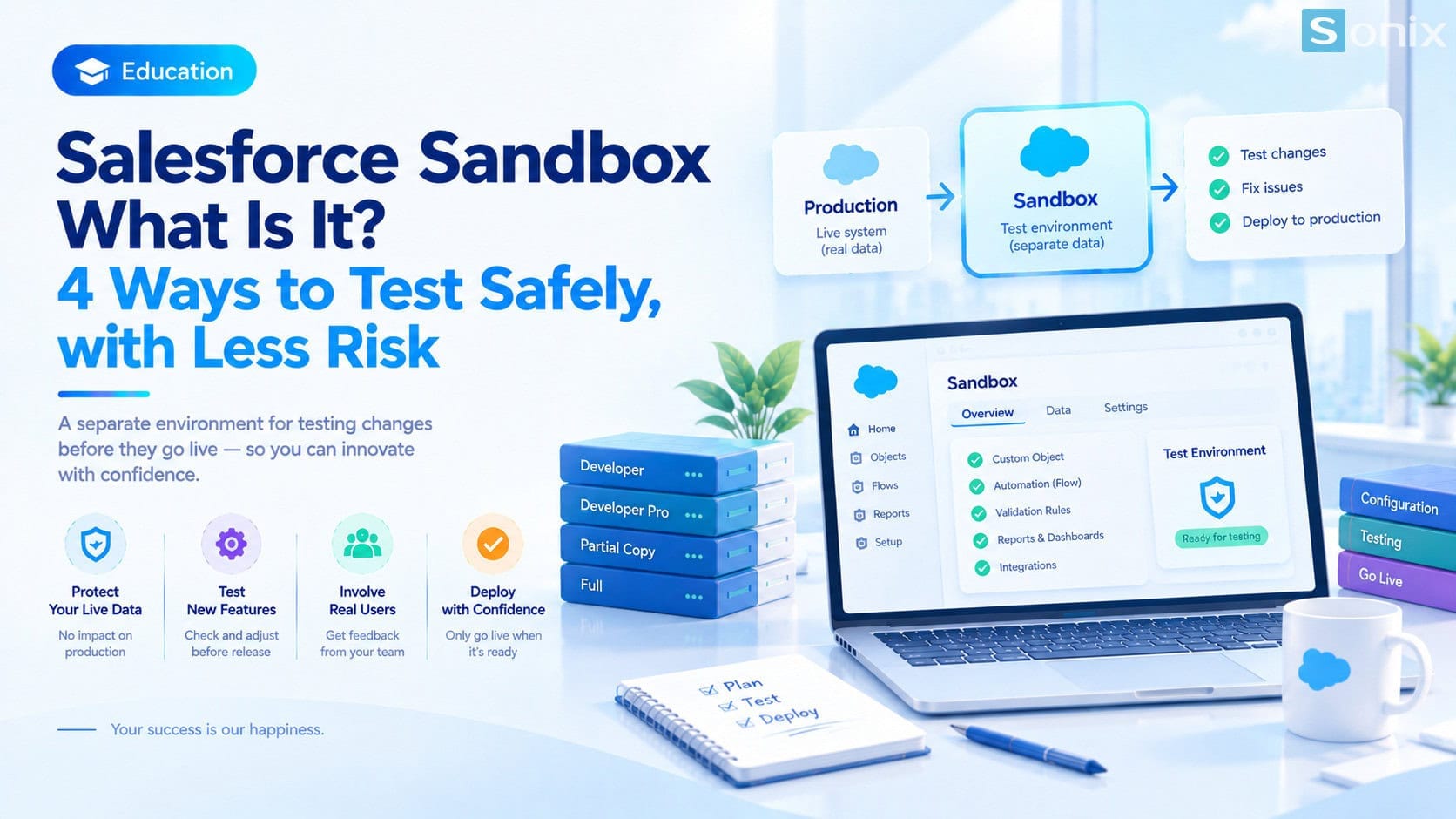 Salesforce Sandbox: a separate test environment that lets SMEs check changes before applying them to the live system
Table of Contents
The basics
What Is Salesforce Sandbox?
Salesforce Sandbox is an independent copy of the Salesforce org a business is using. It can hold the full configuration, automation, and interface, and depending on the sandbox type, real data too, but it’s completely separate from the live production system. Any change made in a Sandbox has zero effect on the company’s real data or operations until it’s officially deployed to production.
Think of a Sandbox as a private lab for the IT team or implementation partner: every test, every error that comes up during testing, stays contained in that space. Only once a change has been thoroughly checked, run through real-world scenarios, and approved by whoever’s responsible does it get pushed to the live version for everyone to use.
The real risk
Why You Shouldn’t Test Directly On The Live System?
For a lot of SMEs, Salesforce isn’t just software: it’s where the entire transaction history, customer contact info, and daily-running sales pipeline live. As a company grows, any configuration change, even something that seems minor like editing a required field, can trigger a chain reaction: incorrect reports, automation breaking, or data getting overwritten with no way back.
In practice, most serious CRM incidents don’t come from a software bug, they come from a change getting pushed through hastily, skipping an intermediate testing step. When something breaks directly on production, the sales and customer support teams are the first ones affected: time lost dealing with the fallout, disrupted work, and in some cases, lost trust in the very system they use every day.
This is exactly why Sandbox exists: it lets you try every worst-case scenario, malformed data, heavy load, workflow conflicts, in a safe environment, before anyone in the company has to deal with the real consequences.
The types
The 4 Common Types Of Salesforce Sandbox
Not every Sandbox is the same. Salesforce splits Sandboxes into four types, differing mainly in whether they copy real data and their maximum storage capacity. This directly affects which type a business should pick for each testing purpose.
Developer Sandbox
Copies only configuration and metadata, no real data. Smallest storage of the four, but can be refreshed most often. Good for developers writing and testing code quickly, or trying out a simple configuration change without needing realistic sample data.
Developer Pro Sandbox
Same mechanism as Developer Sandbox (configuration only, no real data), but with significantly more storage. Good for when the technical team needs to test against a larger sample dataset, like building a complex integration or preparing for a feature build that spans several weeks.
Partial Copy Sandbox
Copies configuration plus a portion of real data, based on a sample template the business defines ahead of time. The refresh cycle is slower than the two types above, but in exchange, test data is much closer to reality. This is usually the most balanced choice: enough real data to check system behavior accurately without too long a wait to set up.
Full Sandbox
The most complete copy: all data, attachments, and activity history are copied over intact from production. It also has the longest refresh cycle of the four, so it’s usually reserved for major testing efforts, like full UAT before a big go-live, or performance testing when the system is about to handle heavier-than-usual load.
For most SMEs in Vietnam, Developer Sandbox and Partial Copy Sandbox cover the majority of day-to-day testing needs. Full Sandbox is usually only necessary when a company is preparing for a major upgrade or a complex system integration, where the most accurate possible simulation of the production environment matters.
The process
A Safe Testing Process Before Go-Live
Having a Sandbox isn’t enough on its own. What matters more is a clear process ensuring every change goes through testing before touching the live system. A standard process usually has five steps: create the right Sandbox for the scope of the change, make the change and do an initial self-check, bring in real users to test it against their everyday work scenarios, log and fix any issues that come up, then deploy to production once every test scenario passes.
The step most often skipped is bringing in real users to test, not just the IT team. A change can be technically correct but still create friction in how a sales rep actually works day to day. This is why experienced implementation partners tend to build out detailed test scripts instead of testing at random. If your team is also thinking through how a properly configured system can support a sales team, this piece on Einstein AI in Salesforce is worth a look for the bigger picture before getting started.
FAQ
Does A Small Business Actually Need A Sandbox?
You don’t need to wait until the company is big to need a Sandbox. As soon as Salesforce starts holding real customer data and has more than one person depending on it daily, every configuration change, however small, should go through a Sandbox first, especially before adding a new automation, integrating with an external system, or ahead of every major Salesforce release upgrade.
For SMEs without a dedicated in-house Salesforce IT team, setting up and maintaining a Sandbox process is often the part most likely to get skipped, not because it’s unimportant, but because there’s no one experienced enough to set it up correctly from the start. This is exactly where working with an implementation partner that has a standardized process helps a business avoid most of the risks described above.
The problem isn’t a lack of budget or tools, Salesforce already includes a free Sandbox in its license. The problem is that most SMEs have never set up a process to actually use it correctly before each change, so they’re still testing directly on real data without realizing they had a safer option all along.
Want help setting up a proper Sandbox process for your company?
Book a free consultation, the Sonix team will help you build a safe testing process before pushing any change into your live Salesforce system.
Sonix: Your success is our happiness.
Leave us your comment