

 Tiếng Việt
 日本語
Agentforce Data 360 is a pairing worth discussing when a business wants AI agents right now but its data is still scattered and incomplete: an agent is only as smart as the data it reads. Picture an agent that gives a customer the wrong delivery address. The fault is not in the AI, but in three different addresses held in three systems.
Our view, in short: Agentforce uses data to answer and act. If data is duplicated, missing or contradictory, the agent will answer wrongly with confidence. A sensible order is to clean the data in your CRM, unify data from other sources if needed, then start the agent on one narrow job with clear data. Not every small and mid-sized business needs Data 360 right away, but everyone needs the first step.
Important note: this is an opinion piece, not research or market data. The office equipment distributor and the three delivery addresses are hypothetical, not real customers. Salesforce product names change over time, for example Data Cloud is now Data 360, and features depend on edition and license. Good data reduces but does not eliminate AI mistakes, so oversight is still needed. Content on cost is general reference, not advice.
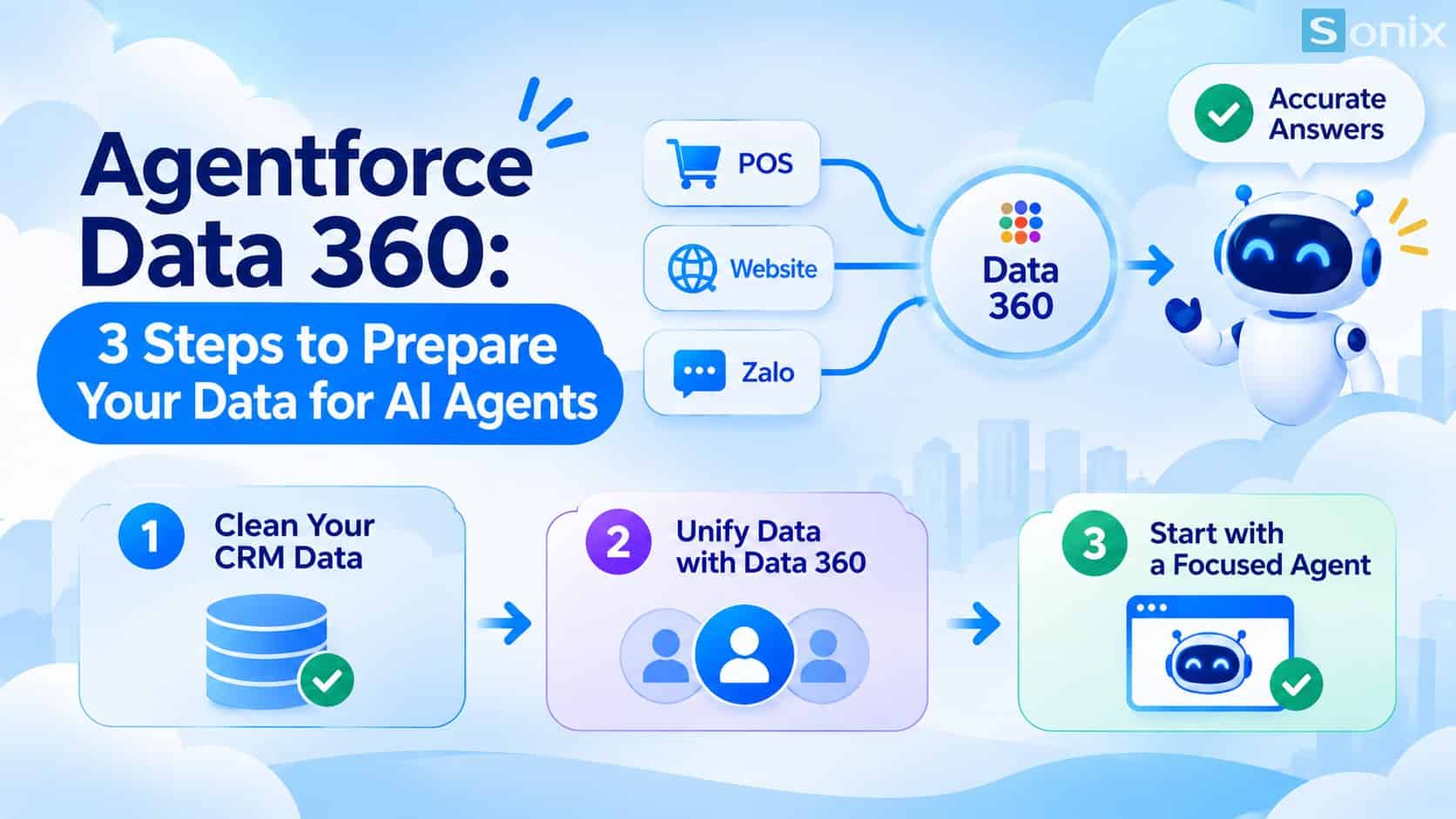
The AI agent reads cleaned, unified data instead of three conflicting addresses from three systems.
Why agents answer wrong with confidence
An AI agent does not know who your customer is unless it reads data. It answers and acts on what it finds. When data is correct and consistent, the agent is useful. When data is duplicated, missing or contradictory, the agent still answers, and often answers very confidently.
Hypothetical example: an office equipment distributor has three systems that each hold an address for the same customer. The agent is asked where to deliver and has to pick one.
| System | Address stored | Situation |
|---|---|---|
| CRM | Old office address | Not updated after the customer moved |
| Accounting software | Address on the invoice | It is the billing address, not the delivery address |
| Warehouse system | Latest delivery address | Correct but nobody syncs it back |
The agent is not wrong because it is unintelligent. It is wrong because each source says something different and no rule says which one to trust. One more point: good data reduces AI mistakes but does not eliminate them, so control and oversight are still needed.
Agentforce and Data 360: who does what
According to Salesforce’s page on Data 360, Agentforce runs on trusted data from this platform, and the data can be used to ground an AI agent’s answers, along with data governance policies. Hands-on practice with grounded agents is in the Trailhead module on agentic solutions with Data 360.
A simple way to see it: Agentforce is the part that reasons and acts, and Data 360 is the part that gathers and unifies customer data for the agent to read.
| Agentforce | Data 360 | |
|---|---|---|
| Role | AI agents that answer and act | Data foundation that unifies customer profiles |
| What it needs from data | Correct, complete, consistent data | Connected sources, recognizing the same customer, unifying |
| When data is poor | Answers wrongly with confidence | Unifies wrongly if the input is messy |
| Relationship | The consumer of data | The provider of prepared data |
To understand how Data 360 unifies customer profiles, read our article Data 360: 4 steps to unify customer data. On why clean data decides AI quality, see Einstein AI in Salesforce for sales and marketing.
3 data-prep steps in order
The three steps below are the order we think is sensible. It is an opinion, not a required process.
Clean the data in your CRM
- Use duplicate rules, set required fields, and agree on how phone numbers and emails are written
- This step is the cheapest and everyone needs it, even if you never use Data 360
Unify data from other sources if needed
- When customer data lives in many systems such as POS, website and accounting, this is the job of Data 360
- Pick 1–2 concrete use cases instead of unifying everything at once
Start the agent on one narrow job with clear data
- Hypothetical example: an agent that only looks up order status, using cleaned data
- Expand gradually as you see the agent answer correctly and people oversee it
When you do not need Data 360 yet
We do not think every business needs Data 360 immediately. The table below is a rough guide, not a fixed threshold.
| Situation | Suggestion | Why |
|---|---|---|
| Customer data mostly in the CRM, 1–2 sources | Clean the CRM first, no Data 360 yet | An agent reading clean data directly is enough for a narrow job |
| 3 or more sources, the same customer appears in many places | Consider unifying data | Contradictory profiles make the agent answer wrongly |
| You need a real-time cross-channel customer profile | Data 360 is a suitable candidate | Needs continuous recognition and updating |
| You do not know where your data lives | Take inventory first | You cannot pick a tool before you know the problem |
If you are not sure where you stand, read Unify Customer Data: 4 levels of data sprawl.
Is your data ready
A quick test, answered honestly. If three or more answers are no, your data is not ready for an AI agent.
| Question | If the answer is no |
|---|---|
| Does each customer have one record in the CRM? | The agent may read the wrong record |
| Are phone numbers and emails written by one rule? | Hard to recognize the right person |
| Does someone own data quality? | Data will decay over time |
| Do you know which source to trust when two conflict? | The agent has no basis to choose |
| Does the agent see only the data it is allowed to see? | Risk of exposing information |
On permissions, Salesforce’s materials stress applying data governance policies to agents. Think carefully about what the agent may read, especially personal and financial data. This is general reference, not legal advice.
If you want to discuss a roadmap, see Sonix’s Salesforce solutions (in Vietnamese).
Agentforce Data 360 checklist before deploying an AI agent
Before deploying an AI agent, run through this short list.
☐ Cleaned CRM data: duplicate rules, required fields, consistent formats
☐ Listed other customer data sources and who owns each
☐ Decided whether you need to unify data with Data 360
☐ Decided which source to trust when data conflicts
☐ Picked one narrow job with clear data to start the agent on
☐ Defined what data the agent may and may not read
☐ Assigned someone to oversee the agent’s answers
If you deployed an AI agent tomorrow, would your data be ready? Comment straight, and the Sonix team will suggest a next step.
Data 360
Einstein AI
Industry Trends
Digital Transformation
Book a consultation with Sonix to assess how ready your data is and choose a sensible preparation order, before you invest in AI agents.
Sonix: Your success is our happiness.
Leave us your comment