

 Tiếng Việt
 日本語
日本語‘Is Salesforce worth the investment?’ is the question most CEOs and CFOs ask before signing off on a budget. The answer doesn’t lie in features or polished demos. It comes down to exactly 3 numbers you can calculate right now. This article walks you through how to calculate Salesforce ROI using a simple CRM ROI formula, complete with a real-world example for an SMB sales team.
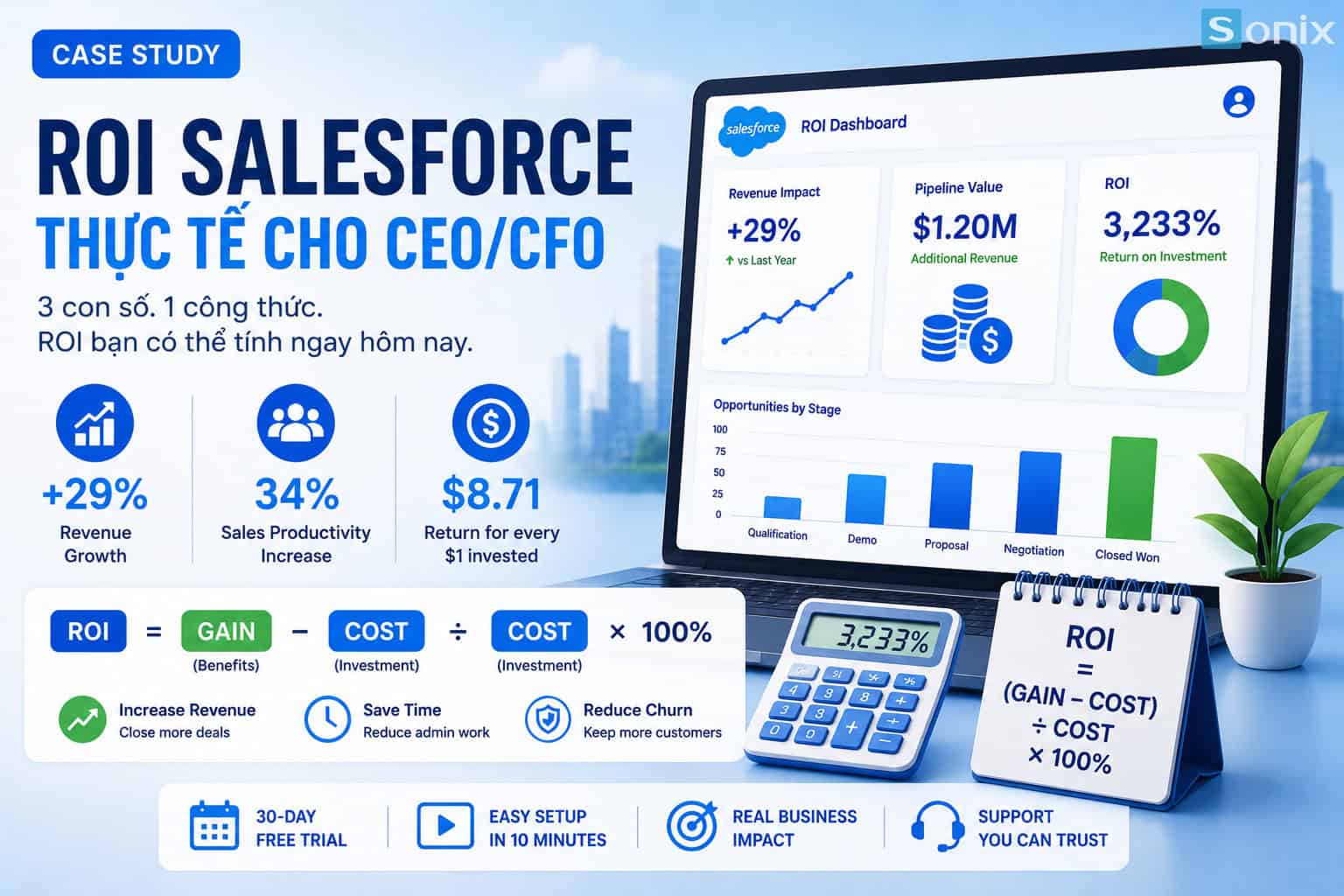 Practical Salesforce ROI formula for CEOs and CFOs (illustrated by Sonix Vietnam)
Table of Contents
💡 According to the Salesforce State of Sales Report, companies that implement CRM correctly see an average revenue growth of 29%, but only when CEOs set clear ROI targets from the start.
FOUNDATION
What Is CRM ROI and Why Should CEOs Care?
ROI (Return on Investment) measures how much you get back for every dollar spent. It is the only language the boardroom accepts when approving software budgets. For Salesforce, the CRM ROI formula goes beyond license costs. It requires converting all intangible benefits (time saved, churn reduction, pipeline growth) into concrete monetary figures.
Many CEOs skip this step and simply compare license prices, a mistake that turns CRM investment decisions into gut feelings. When you calculate Salesforce ROI correctly, the numbers often pleasantly surprise even the most skeptical CFO.
29%
Average revenue growth after CRM implementation
34%
Increase in sales rep productivity
$8.71
Returned for every $1 invested in CRM (Nucleus Research)
THE FORMULA
The Salesforce ROI Formula: 3 Core Numbers
The Salesforce ROI formula is fundamentally straightforward: ROI = (Gain – Cost) ÷ Cost × 100%. The real challenge lies in correctly identifying ‘Gain’: the actual value CRM delivers, not a marketing figure.
Three primary Gain sources that CEOs must quantify when calculating Salesforce ROI for their organization:
Revenue Growth from a Higher Close Rate
Salesforce helps sales reps track their pipeline more rigorously and never miss a lead. Even a 5% increase in close rate across a 20-person team generates hundreds of thousands of dollars in new revenue each year.
Admin Time Savings: Converted to Dollars
The average sales rep spends 2–3 hours per day on manual data entry. Salesforce automation reclaims that time for actual selling, the equivalent of adding headcount without the added payroll cost.
Churn Reduction: Protecting Recurring Revenue
CRM helps your CS team identify early churn signals and intervene in time. Retaining just 5% more customers can increase profits by 25–95%, according to Harvard Business Review.
REAL-WORLD EXAMPLE
Real-World Example: 20-Person Sales Team, 3,233% ROI
Let’s apply the CRM ROI formula to a typical SMB scenario so CEOs can see concrete numbers. Assumptions: 20 sales reps, average deal size $5,000, current close rate 15%.
| Metric | Before Salesforce | After Salesforce |
|---|---|---|
| Close Rate | 15% | 20% (+5%) |
| Additional Deals / Rep / Month | 0 | +1 deal |
| Additional Revenue / Year | $0 | $1,200,000 |
Detailed Calculation:
Gain = 20 sales reps × 1 deal/month × $5,000 × 12 months = $1,200,000/year
Cost = $150/user/month × 20 users × 12 months = $36,000/year
ROI = ($1,200,000 – $36,000) ÷ $36,000 × 100% = 3,233%
Note: this figure only accounts for Gain from close rate improvement, and does not include admin time savings or churn reduction. Actual ROI is typically even higher.
PRACTICAL APPLICATION
How to Apply the CRM ROI Formula to Your Business
To calculate Salesforce ROI for your specific situation, CEOs need four input numbers: number of sales reps, average deal size, current close rate, and estimated license cost. With these four figures, you can run the CRM ROI formula in under 5 minutes.
One important note: use conservative numbers. Model only a 3–5% increase in close rate, not 20%. A conservative ROI is still compelling enough to win board approval when presented correctly. According to Gartner, CRM projects fail most often due to unrealistically high ROI expectations set at the outset, not because of the technology itself.
Ultimately, CRM ROI for CEOs is more than a financial exercise. It is a management tool. When you set clear ROI KPIs before go-live, your team knows exactly what close rate to hit and how many admin hours to save, ensuring the Salesforce investment delivers real, measurable value.
KEY TAKEAWAYS
| Takeaway | What It Means for Your Business |
|---|---|
| ROI = (Gain – Cost) ÷ Cost × 100% | A simple formula any CEO can run in 5 minutes with just 4 input numbers |
| 3 Primary Gain Sources | Close rate, admin time savings, churn reduction: each can be converted into a dollar figure |
| Example: Salesforce ROI of 3,233% | 20 reps, $5K deal size, 5% close rate increase → $1.2M gain vs. $36K cost |
| Use Conservative Numbers | A realistic ROI is more persuasive than an optimistic one. Boards trust caution over hype |
| CRM ROI Is a Management Tool | Setting ROI KPIs before go-live gives your team clear targets to make the investment worthwhile |
Want to calculate Salesforce ROI for your own sales team?
Drop your revenue and sales rep count in the comments and Sonix will estimate your CRM ROI for free. Or book a 30-minute consultation to receive a detailed analysis with a CRM ROI formula tailored to your industry.
Sonix – Your success is our happiness.
Leave us your comment