

 Tiếng Việt
 日本語
日本語Picking the wrong Salesforce tier from the start usually leads to one of two outcomes: paying for features you never touch, or scrambling to upgrade a few months in because a critical feature is missing right when your sales team needs it most. This post compares the three tiers that matter most to SMBs, using Salesforce’s current published pricing, so you can get it right the first time.
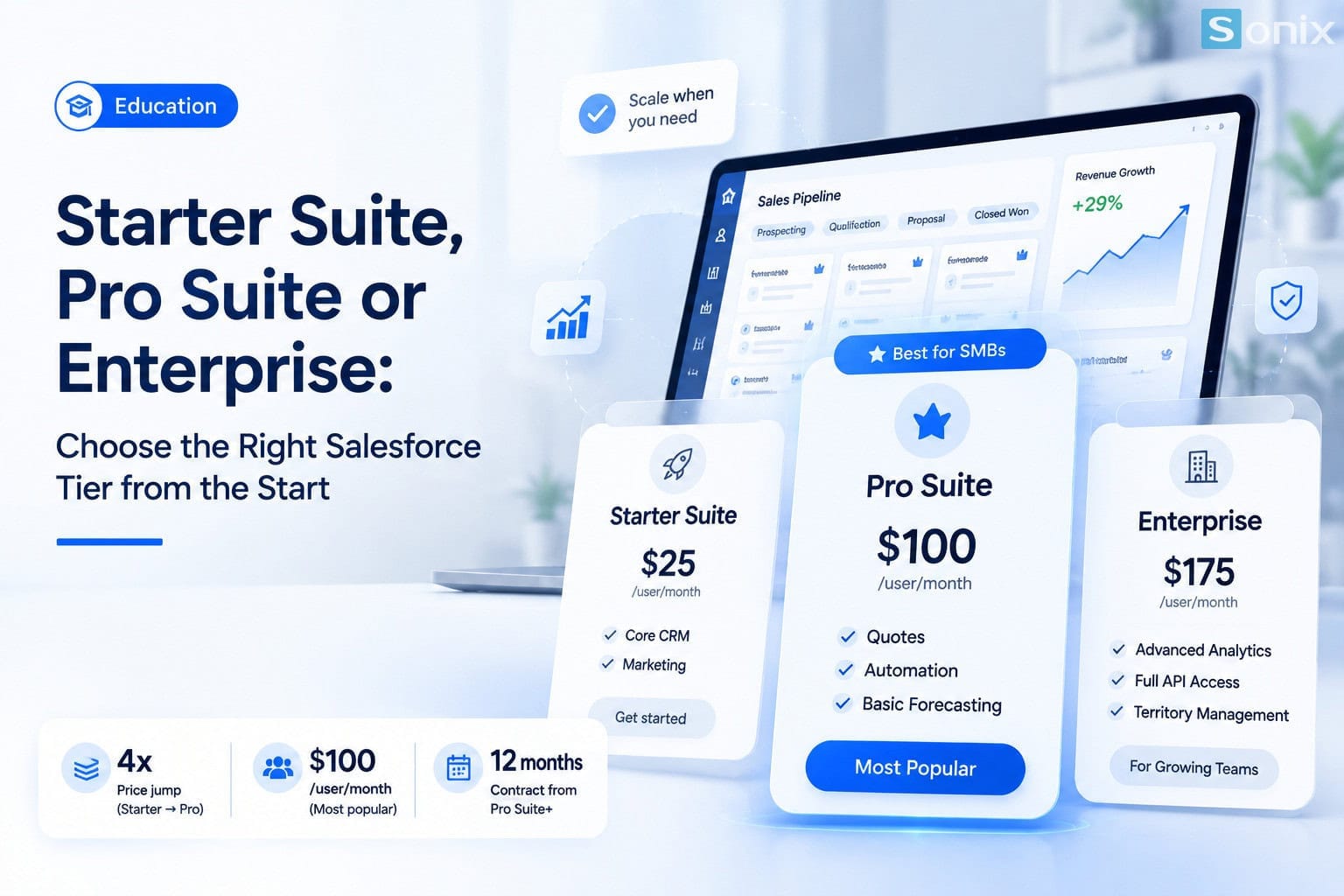
Table of contents
Overview
Quick comparison: the 3 tiers that matter most to SMBs
Salesforce now sells Sales Cloud, rebranded under the Agentforce Sales name, across 5 tiers: Starter Suite, Pro Suite, Enterprise, Unlimited, and Agentforce 1 Sales, per Salesforce’s official pricing page. For SMBs, the first three are what actually matter:
| Criteria | Starter Suite | Pro Suite | Enterprise |
|---|---|---|---|
| Price / user / month | $25 | $100 | $175 |
| Billing | Monthly or annual | Annual commitment | Annual commitment |
| Best fit | Startups, small sales teams just moving off spreadsheets | Growing SMBs that need quoting and automation | Larger sales teams needing deep integration and customization |
| Products & Quotes | Not included | Included | Included, plus opportunity scoring |
| Forecasting | Not included | Basic | Advanced, full pipeline detail |
| API / external integrations | Limited | Limited | Full, plus territory management |
Tier 1
Starter Suite: who it’s for
At $25/user/month, Starter Suite is an all-in-one CRM bundling basic sales, service, and marketing tools, plus Slack thrown in for free. It’s a sensible tier for a startup or a sales team under 10 people that just left spreadsheets behind and needs one central place to store leads and contacts, without needing complex quoting or detailed sales forecasting yet.
Worth noting: Starter Suite doesn’t include quote generation, product/price book management, or sales forecasting. If your sales process already requires standardized quotes or pipeline forecasts for leadership, Starter Suite will feel cramped fairly quickly.
Tier 2
Pro Suite: the tier most SMBs should land on
Pro Suite, at $100/user/month, is a big price jump from Starter Suite, four times the cost, not a small step. But it’s also where most businesses buying Salesforce for the first time end up settling, because it unlocks exactly what an SMB actually needs: product management, price books, quote generation, sales automation, and basic forecasting.
For a sales team of roughly 10 to 50 people, especially in a multi-step B2B sales process, Pro Suite is usually the best balance between cost and functionality, enough to run things properly without needing the open API or deep workflow customization that Enterprise offers.
One easy detail to miss: from Pro Suite up, Salesforce requires an annual contract commitment, unlike Starter Suite, which can be billed monthly. Factor that into your budget planning, not just the sticker price per month.
Tier 3
Enterprise: when you actually need it
Enterprise, at $175/user/month, adds full API access for integrating with other systems (accounting, marketing automation, call centers, and so on), territory management, opportunity scoring, and far more detailed pipeline forecasting than Pro Suite. It’s also the tier where a basic Agentforce bundle starts to come included.
Enterprise makes sense once your sales team has grown past 50 people, or once you genuinely need to connect Salesforce deeply with multiple other systems in your stack. Without a real integration need yet, jumping straight to Enterprise usually means paying for features you won’t touch for the first year or two.
Rule of thumb
The rule of thumb: start one tier lower than you think
A common instinct when buying software is to pick a higher tier “just in case,” to avoid upgrading later. In practice, most SMBs use less than half the features of the tier they’re paying for, especially in the first 6 to 12 months while the team is still getting used to the system. Upgrading a Salesforce tier is a simple move you can make any time you actually need it, while downgrading to recover money you’ve already spent is essentially not an option.
The rule Sonix tends to apply when advising clients: start one tier below what you think you need, run it for 3 to 6 months, then upgrade based on specific features your team genuinely demands, rather than upgrading upfront out of a fear of falling short.
Salesforce Implementation
Best Practices
SME
CRM
Not sure which tier fits your team?
Drop your sales team size in the comments and Sonix will suggest the tier that fits. Or book a free consultation to talk through your current sales process in more depth.
💬 Comment your sales team size below
Sonix will reply directly with a tier recommendation that fits your team’s size.
Sonix – Your success is our happiness.
Leave us your comment