
 Tiếng Việt
 日本語
In today’s omnichannel retail landscape, having a walk-in shopper purchase the final jacket at a District 1 flagship store only for an online buyer on TikTok Shop or Shopee to order that exact same item five minutes later is a daily operational nightmare. The inevitable outcome is forced order cancellations, steep marketplace penalties, plummeting seller ratings, and eroded consumer trust.
Connecting Odoo POS to Shopee & TikTok Shop provides a definitive technical solution: establishing a sub-3-second, real-time two-way inventory synchronization loop that eliminates overselling risks and frees operations teams from manual stock adjustments.
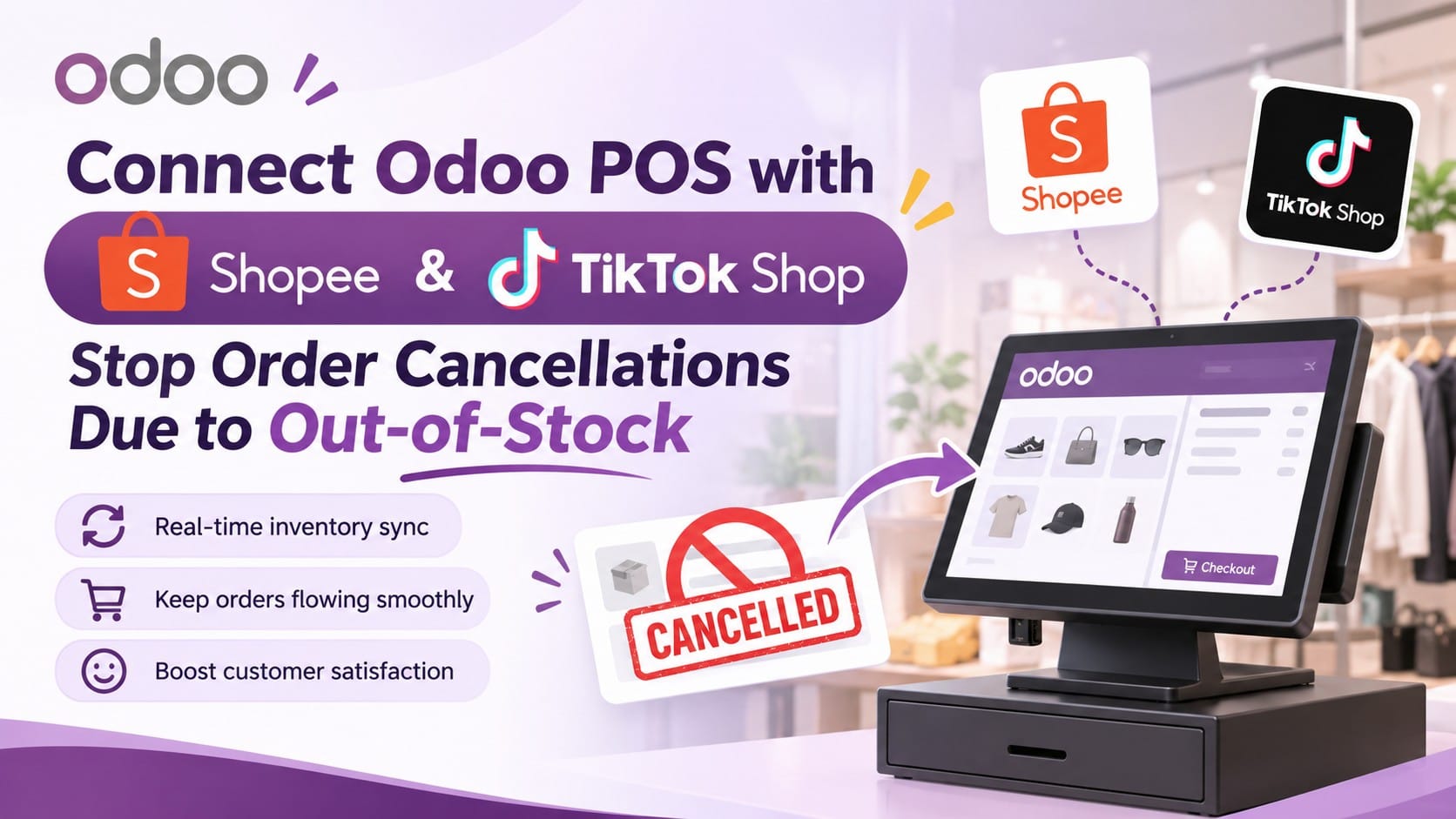
This article examines the root causes of stock collisions between physical registers and digital marketplaces, breaking down the integration architecture within Odoo POS & Inventory to help retail chains scale peak-season revenue without fulfillment breakdowns.
Table of Contents
- The High Price of Overselling and Order Cancellations on Shopee & TikTok Shop
- How Odoo POS Integration with Shopee & TikTok Shop Works Under the Hood
- 3 Intelligent Inventory Safeguards for Multi-Store Retail Chains
- Benchmark Comparison: Manual Stock Updates vs. Automated Odoo Sync
- 4-Step Implementation Roadmap to Connect Odoo POS Without Downtime
💡 Core Insight: In 2026, Shopee and TikTok Shop algorithms heavily penalize Non-Fulfillment Rates (NFR). Crossing cancellation thresholds during mega-sales immediately throttles livestream reach, strips Preferred/Mall badges, and revokes platform voucher eligibility. Real-time inventory sync is no longer an optional convenience—it is a survival requirement to protect organic traffic.
< 3 Seconds
Latency to update available-to-promise stock across all online storefronts after a POS checkout
0%
Order cancellation rate caused by overselling during peak livestream flash drops
100%
Marketplace orders automatically imported into Odoo with full commission and waybill data
PART 1
The High Price of Overselling and Order Cancellations on Shopee & TikTok Shop
When brick-and-mortar point-of-sale software operates in isolation from e-commerce seller portals, stock collisions trigger cascading commercial losses:
| Operational Risk | Real-World Storefront Scenario | Brand & Financial Impact |
|---|---|---|
| Double-Selling the Final Unit | A walk-in shopper buys the last handbag at the showroom; before staff log into Seller Center to zero out stock, a TikTok Shop order clears. | Forced cancellation of the online order, platform penalty points, and wasted ad spend used to acquire that buyer. |
| Fragmented Safety Stock Pools | Managers manually split stock (“50 units for stores, 50 for Shopee”), leaving physical racks empty while online listings sit unsold. | Stagnant working capital turnover and lost walk-in conversions despite inventory sitting inside the company network. |
| Manual Data Entry Burnout | Staff export daily CSVs from multiple platforms and manually key deductions back into accounting or POS software at closing. | Hundreds of wasted labor hours and SKU mapping typos that corrupt financial and inventory ledgers. |
PART 2
How Odoo POS Integration with Shopee & TikTok Shop Works Under the Hood
Through direct API integration linking Odoo Inventory, physical POS registers, and e-commerce marketplaces, the entire supply chain operates on a single source of truth:
⚡ Flow 1: Odoo POS Checkout -> Instant Marketplace Stock Update
The moment a cashier validates a transaction at the counter, Odoo deducts physical on-hand stock and fires a webhook updating available quantities across all connected Shopee, TikTok Shop, and Lazada listings in under 3 seconds.
🛒 Flow 2: Marketplace Order Placed -> Automatic Stock Reservation in Odoo
When a viewer checks out during a TikTok Shop livestream, the order flows automatically into Odoo Sales/Inventory, locking the corresponding Reserved Quantity and broadcasting updated availability to sister channels to prevent duplicate orders.
🔄 Flow 3: Cancellations & Returns -> Automated Stock Replenishment
If a buyer cancels prior to dispatch or a returned parcel is scanned back into the warehouse, Odoo automatically releases the reserved stock and pushes the restored count back to all active sales channels.
PART 3
3 Intelligent Inventory Safeguards for Multi-Store Retail Chains
Beyond basic quantity syncing, Odoo provides granular allocation rules that give multi-branch retailers complete operational control:
- Dynamic Safety Stock Buffers: Configure rules to withhold a fixed count or percentage (e.g., always retaining the last 2 units at showrooms) to prioritize walk-in foot traffic, syncing only surplus inventory to Shopee and TikTok Shop.
- Multi-Warehouse Stock Aggregation: Display combined available stock pooled across your Central Warehouse, District 1 Showroom, and Thu Duc Branch. When an online order arrives, Odoo routes fulfillment to the closest branch for rapid Ship-from-Store dispatch.
- Automated Marketplace Fee & Net Settlement Reconciliation: Completed Shopee and TikTok Shop orders automatically break down gross sales, seller vouchers, platform commissions, Freeship Xtra fees, and affiliate payouts inside Odoo Accounting—giving CEOs true channel-level net margin visibility.
PART 4
Benchmark Comparison: Manual Stock Updates vs. Automated Odoo Sync
Comparing operational efficiency and scalability when transitioning from disconnected tools to an integrated Odoo ERP architecture:
| Evaluation Criteria | Disconnected Tools / Manual Updates | Odoo POS + Shopee & TikTok Shop Sync |
|---|---|---|
| Inventory Sync Latency | 30 minutes to end-of-day batch reconciliations | Real-time instantaneous (< 3 seconds) |
| Stockout Cancellation Risk | High (5% – 10% during major campaign peaks) | Near 0% via automated stock locking |
| Waybill Printing & Picking | Logging into separate Seller Centers to print individually | Centralized batch printing in Odoo & Barcode scan |
| Channel Net Profitability Reporting | 1 – 2 weeks of manual spreadsheet consolidation | Automated per-order accounting on CEO Dashboard |
PART 5
4-Step Implementation Roadmap to Connect Odoo POS Without Downtime
To deploy real-time synchronization smoothly without disrupting active storefront sales, follow this four-stage rollout:
- Step 1 — Standardize Master SKU Mapping: Ensure every color and size variant’s Internal Reference in Odoo matches 1-to-1 with its corresponding Seller SKU across Shopee and TikTok Shop.
- Step 2 — Verify Physical Opening Balances: Use the Odoo Barcode app to conduct rapid cycle counts across all retail backrooms and central hubs before activating live sync.
- Step 3 — Configure Warehouse Routing & Safety Buffers: Define which physical locations feed your online stock pools and set tailored safety stock thresholds for high-velocity hero SKUs.
- Step 4 — Run End-to-End Test Orders & Go Live: Execute test checkouts on POS to verify sub-3-second updates on marketplace listings, then transition warehouse teams to centralized batch waybill printing.
Explore full-stack e-commerce integration and standardized omnichannel retail architectures through Sonix’s certified Odoo Implementation Services.
KEY TAKEAWAYS
| Integration Pillar | Enterprise Value Realization |
|---|---|
| Sub-3-Second Two-Way Sync | Halts overselling immediately, protecting seller ratings and livestream traffic on Shopee & TikTok Shop. |
| Safety Buffers & Ship-from-Store | Maximizes branch inventory turnover and accelerates intra-city delivery without starving showroom shelves. |
| Automated Fee Reconciliation | Delivers complete transparency into net payouts and channel margins inside Odoo Accounting. |
Ready to eliminate stockout cancellations between your stores and online marketplaces?
Schedule a 1-on-1 consultation with Sonix e-commerce integration specialists to see live Odoo POS syncing with Shopee & TikTok Shop and optimize your omnichannel cash flow.
🚀 Book an Odoo Omnichannel Consultation with Sonix
Sonix – Empowering operational excellence and business productivity.
Leave us your comment