
 Tiếng Việt
 日本語
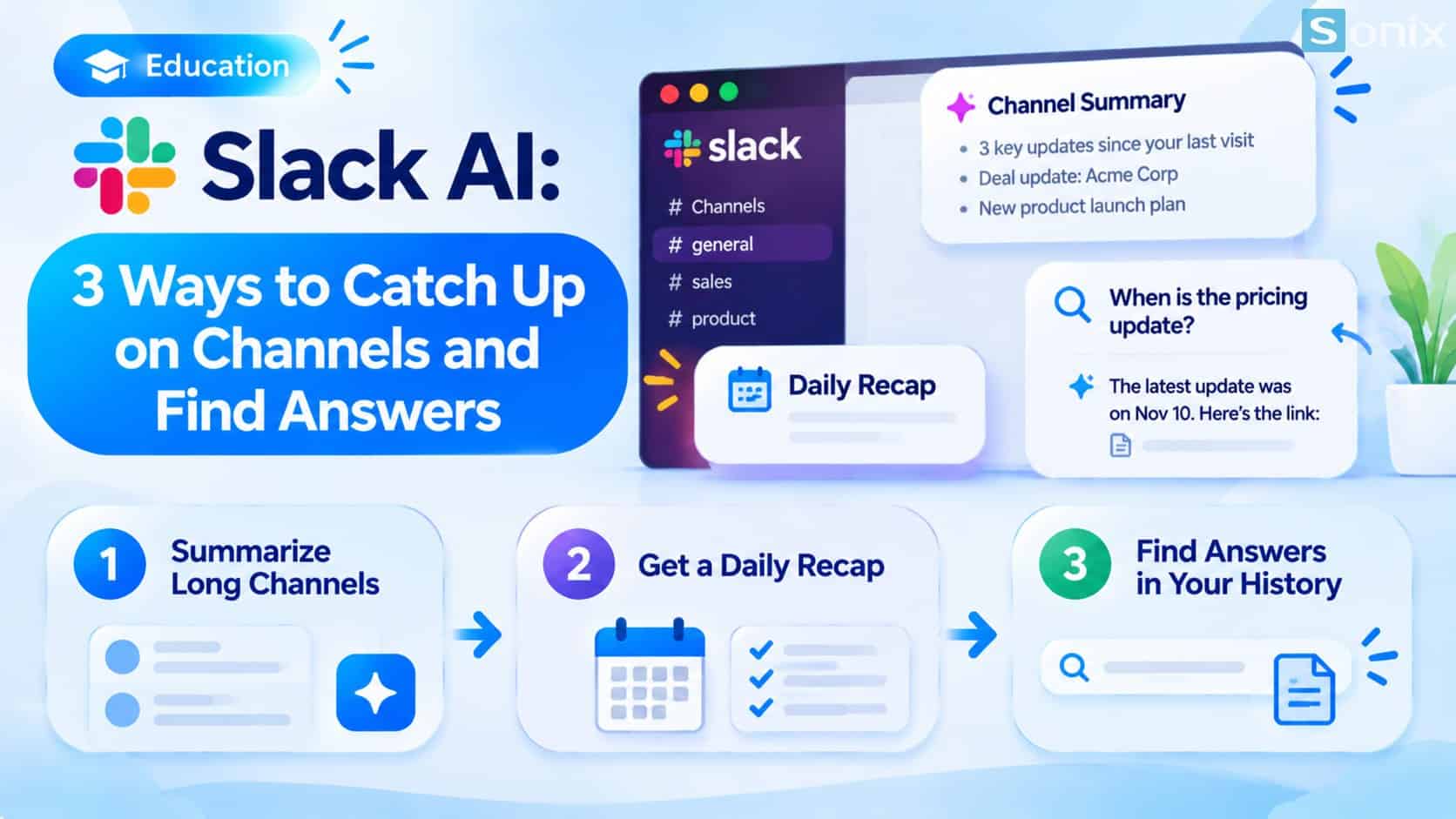
Slack AI is the set of AI features built into Slack that summarize long channels and threads, then find answers in your conversation history. Picture this: two days off, back to 300 unread messages across 12 channels, and no idea what is important.
The short answer: AI in Slack can summarize a long channel or thread, send a morning recap of what you missed, and answer questions based on messages and files already shared, with sources. To use it well: name channels clearly, talk in threads, and write key decisions as a separate message so the AI can find them. Note: AI features depend on your Slack plan, so check the official pages.
Important note: the 300 unread messages across 12 channels below is a hypothetical illustration, not real data. Slack’s AI features change quickly and depend on plan, user role and admin settings, so check the official help pages before deciding. AI-generated summaries can be wrong or incomplete, so check the sources when it matters. Content on cost is general reference, not advice.
Why 300 unread messages is a problem
Coming back after a few days off, many people lose a whole morning just rereading messages. Most of it has nothing to do with you, but somewhere is a decision, a request or a deadline you need to know. Finding them by scrolling through each channel is slow and easy to get wrong.
| Rereading by hand | Using AI in Slack | |
|---|---|---|
| Catching up | Scroll each channel, read each message | Summarize the channel or thread, read the recap |
| Finding old information | Search keywords, open each result | Ask in plain language, get an answer with sources |
| Risk | Missing something important | A summary can be incomplete, so check sources |
| Time | Long, grows with the number of channels | Shorter, but you still reread the important parts |
The 3 most useful Slack AI features when you return from time off
According to the AI features guide on Slack’s help site, three groups of features are the ones you will use most when you return from time off.
Summarize a channel or thread
- Open the channel or DM and choose Summarize. You can summarize just unread messages, the last 7 days or a custom range (the custom range is desktop only)
- For a thread, choose Summarize at the top of the thread. The summary can include sources so you can check it
A morning recap
- Recap sends a daily summary for the channels you choose, including ones you rarely join but want to keep tabs on
- According to the help page, if you are away longer, the recap covers however many days you were gone. You can add or remove channels any time
Find answers in conversation history
- Type a question in your own words into the search bar, and Slack gives a concise answer based on relevant messages and files, with citations
- Hypothetical example: ask on what day the final quote for customer A was approved, and click the citation to open the exact message
Slack AI features by Slack plan
Not every feature is on every plan. The table below follows the feature table on Slack’s official help page, and it may change, so check again before you decide.
| Feature | Pro | Business+ | Enterprise+ |
|---|---|---|---|
| Conversation summaries | Yes | Yes | Yes |
| Huddle notes with AI | Yes | Yes | Yes |
| Automatic search filters | Yes | Yes | Yes |
| Search answers | No | Yes | Yes |
| Daily recaps | No | Yes | Yes |
| File summaries, translations, Slackbot | No | Yes | Yes |
| Search across many apps (Enterprise search) | No | No | Yes |
Two important notes. One, according to the help page, if you are on a legacy version of Business+ or an Enterprise Grid subscription without the AI add-on, you only get the Pro features. Two, admins can restrict access, so not seeing a feature does not mean your plan lacks it. The article gives no prices because prices change, so see Slack’s official pricing page.
How to use Slack AI well
AI summarizes and searches the content you have. The tidier that content is, the better the results. The three habits below are worth agreeing on across the team.
| Habit | Why AI benefits | Hypothetical example |
|---|---|---|
| Name channels clearly | Both AI and people know what the channel is about | cust-abc-quote instead of general-channel-2 |
| Talk in threads | One topic stays inside one thread, easier to summarize correctly | Reply in the thread instead of scattering messages in the channel |
| Write key decisions as a separate message | A short message with a clear marker is easier to find | Decision: final quote v3 approved on 12 Nov |
Writing key decisions as a separate message also fits the principle in Slack Deal Room: 1 Channel per Big Deal, Faster Teamwork: Slack is where people talk, while the official record should still live in Salesforce. If you have not turned on deal alerts in Slack, read Slack Salesforce: 3 Easy Ways to Get Deal Updates Fast.
Notes when using Slack AI
AI can be wrong or incomplete. Treat a summary as a starting point, not the source of truth. When it matters, click through to the sources and read the original messages.
Privacy. According to the help page, AI answers only include information you have access to, such as public channels and the private channels and DMs you belong to. Data from connected sources such as Salesforce can appear in Slackbot responses and enterprise search results. Keep this in mind when putting sensitive information into channels.
Language. The help page has a section on language support. Check how well each feature supports Vietnamese before you roll it out.
Plan and cost. Features depend on your Slack plan. Think about which features your team truly uses before upgrading. This is general reference, not financial advice.
To learn more about how AI in the Salesforce ecosystem uses data, read Einstein AI in Salesforce for sales and marketing. If you need help, see Sonix’s Salesforce solutions (in Vietnamese).
Slack AI checklist for the whole team
Before rolling it out to the whole team, run through this short list.
☐ Checked your current Slack plan and which AI features are available
☐ Asked an admin about restrictions on AI features
☐ Agreed on clear channel names
☐ Agreed to talk in threads
☐ Agreed to write key decisions as a separate message
☐ Reminded the team to check sources when it matters
☐ Checked language support before rollout
How long does it take you each morning to read through your work messages? Leave a comment below and the Sonix team will suggest how to organize your channels.
Slack
Einstein AI
Industry Trends
Business
Book a consultation with Sonix to organize Slack neatly and connect it with Salesforce, fitted to your Slack plan and your team’s process.
Sonix: Your success is our happiness.
Leave us your comment