

 Tiếng Việt
 日本語
日本語In the early days, everyone asked what AI agents could do. Once agents start doing real work, the better question is how to handle AI agent monitoring: who checks that the agent is doing the right thing, and how do you know when it gets something wrong? The short answer: define in advance what “good” looks like, keep a human approving the risky work, and review sample conversations on a regular schedule. Salesforce Winter 27 adds tools that make this observation and evaluation easier.
Agentforce is Salesforce’s AI agent platform: agents can answer customers, handle requests and take actions inside the CRM. This article looks at the less-discussed side, which is how to tell whether an agent is actually doing its job correctly.
Important note: this content is based on public documentation and information about Winter 27. Some features, including Custom Scorers, are reported as beta, so names and status may change. Cost and licensing for AI features should be checked separately with Salesforce or your implementation partner. The office equipment distributor in the example is hypothetical, not a real customer.
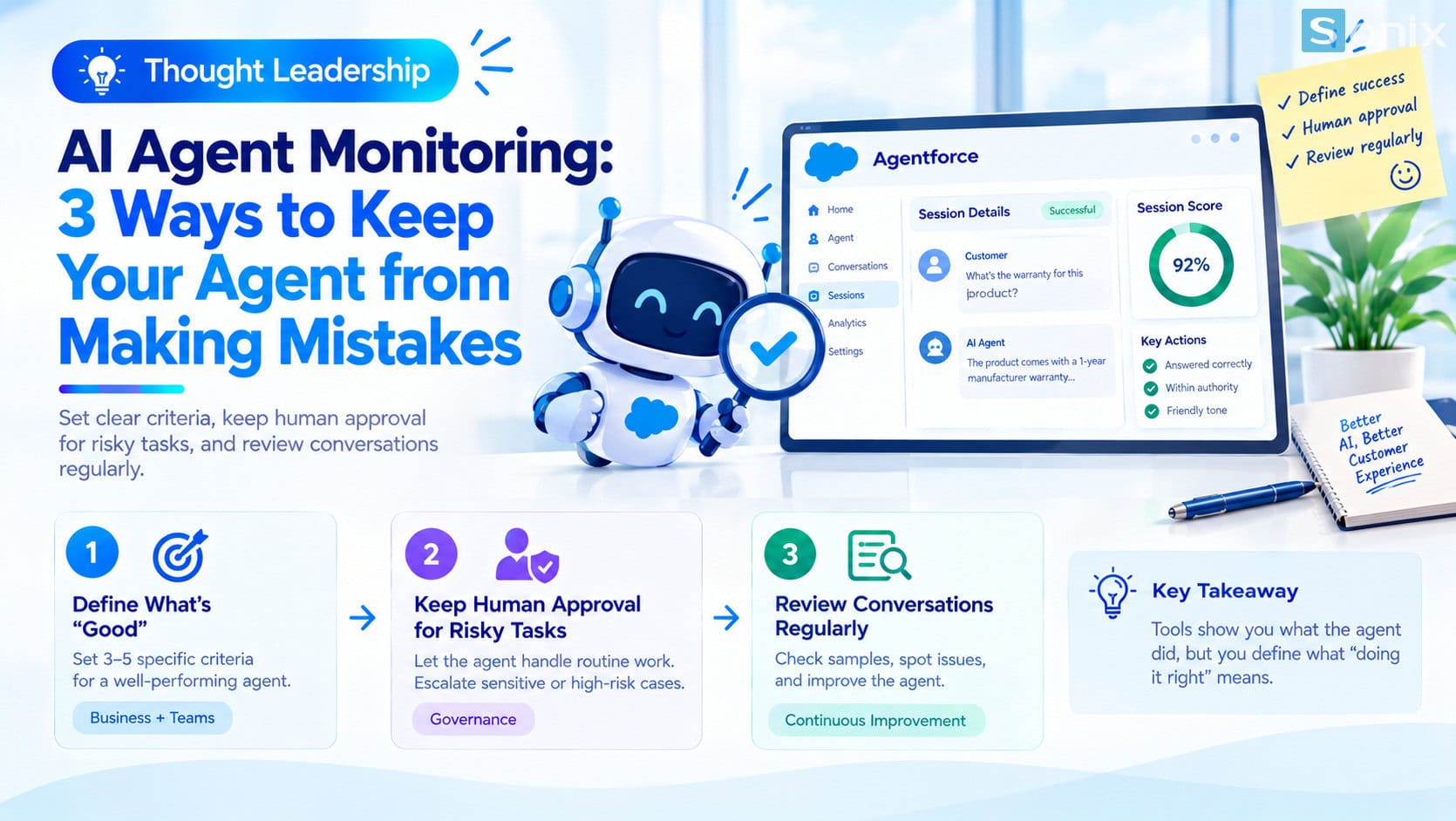 When AI agents do real work, the question shifts from “what can they do” to “who is checking”.
AI agent monitoring: why the question has changed
When software only makes suggestions, the user still makes the decision, so mistakes are usually caught by a person. When an AI agent answers customers and takes actions on its own, a mistake can go straight to the outside world before anyone sees it.
That is why leadership questions are shifting from “what can the agent do” to “how do we know the agent is doing it right”. It is worth asking early, because an agent that runs smoothly in a demo may not handle hundreds of real situations well, especially rare or sensitive ones.
This is not just a technical matter. It is a matter of accountability: if an agent gives a wrong answer about price or terms, the business is still the party responsible to the customer.
What Winter 27 adds for AI agent monitoring
According to information about Winter 27, Salesforce adds tools to observe and evaluate the quality of agent sessions. The two key concepts are Agentforce Observability and Custom Scorers.
| Tool | What it does | Note |
|---|---|---|
| Agentforce Observability | Shows what the agent did in each session, through detailed session tracing and performance metrics | The base observation layer |
| Custom Scorers | Lets a business define its own evaluation criteria, with results of pass, fail or not applicable | Reported as beta in Winter 27 |
| Session scoring | Uses a language model to score a whole session against editable criteria | Depends on configuration and licensing |
The most notable piece is Custom Scorers. Instead of relying only on generic metrics predefined by Salesforce, a business can write its own pass or fail questions tied to its needs, for example “did the agent hand over to a human when the customer asked about a refund?”. According to the documentation, a scorer uses a prompt template so that a language model automatically evaluates the agent’s behavior.
A tool can only answer “is it right” once the business has defined what right means. That part is work no tool can do for you.
3 things to do before AI agent monitoring has to catch a mistake
Define in advance what a good agent looks like
- Write down 3 to 5 specific criteria, for example: answers follow policy, makes no promises beyond its authority, hands over to a person when needed
- The more specific the criteria, the easier they are to turn into scorers or tests
- Involve sales or service, not just the technical team
Keep a human approving risky work
- Separate what the agent may do alone from what needs approval
- Anything involving money, contracts, sensitive data or complaints should have a person confirm it
- Provide a clear handover path to staff when the agent is unsure
Review sample conversations regularly
- Each week, one responsible person reads a handful of sessions, both good ones and ones scored low
- Record repeated errors so you can adjust the agent’s instructions or scope
- Automatic scoring helps choose which sessions to read, but does not fully replace reading
An illustrative example: a customer care agent
A hypothetical example: an office equipment distributor uses an AI agent to answer customers about orders and warranty. Before letting the agent run live, management settles on four criteria:
| Criterion | Pass or fail question | Action when it fails |
|---|---|---|
| Follows policy | Did the agent state the warranty conditions correctly? | Review the agent’s information sources |
| Within authority | Did the agent promise a discount or refund? | Narrow the scope, add a human approval step |
| Human handover | When the customer complained or asked for a refund, did the agent hand over to staff? | Add handover rules |
| Tone | Was the agent polite and clear? | Adjust the instructions |
Each week, the head of customer care reads a few sessions that scored a fail and notes repeated errors. After a few weeks, the team knows where the agent is weak and how far to widen what it can handle alone. This illustrates a process; there are no figures from a real customer.
Notes on beta status, cost and accountability
Check names and status. Custom Scorers is reported as beta in Winter 27. Check the official release notes for the current name and status before you plan around it.
Cost and licensing need a separate check. According to a Salesforce article, Agentforce Observability carries no extra usage-based charge for Agentforce customers, but Agentforce itself and other AI features have their own cost and licensing conditions. Confirm with Salesforce or your implementation partner before committing.
Tools do not replace accountability. Automatic scoring helps you quickly see which sessions deserve a look, but deciding what the agent may do still belongs to people.
Start small. Give the agent one narrow job, watch it closely, then expand. To understand what AI in Salesforce can do, read Einstein AI in Salesforce: what AI does for your sales and marketing team, and see the other changes in this release in Salesforce Winter 27: the 5 most important changes, explained simply.
AI agent monitoring checklist before agents do real work
Before you expand an agent, run through this short list to make sure you can answer the question of who is checking the agent.
☐ Written 3 to 5 specific criteria for a good agent
☐ Separated what the agent does alone from what needs approval
☐ Set up a handover path to staff for when the agent is unsure
☐ Chosen a person responsible for reading sample conversations each week
☐ Checked the name and beta or GA status of each feature in the release notes
☐ Checked the cost and licensing of the AI features
☐ Started the agent with a narrow scope
Does your company use AI agents yet, and who is watching what they do? Leave a comment below, the Sonix team would love to hear how you handle it.
Einstein AI
Industry Trends
Digital Transformation
Business
Book a consultation with Sonix to define the agent’s scope, evaluation criteria and the monitoring approach that fits your organization.
Sonix: Your success is our happiness.
Leave us your comment