

 Tiếng Việt
 日本語
日本語One customer with 3 records means 3 people calling to ask about price, and a report that counts one customer as three. If that sounds familiar, this is where Salesforce duplicate rules come in. The short answer: Salesforce has two parts that work together, a Matching Rule, which defines what counts as a duplicate, and a Duplicate Rule, which decides what to do when one is found: block or only warn.
In simple terms, the two parts work like a spotter and a gatekeeper. This article explains each part, how to choose between blocking and warning, and why duplicates that already exist should be cleaned up and merged before you switch the rules on.
Important note: the office equipment distributor and the figures in this article are illustrative assumptions, not a real customer. Menu names and limits may differ by edition and version. Some features, such as Duplicate Jobs, depend on your edition, so check your own org. Try everything in a sandbox or a learning org before applying it to real data.
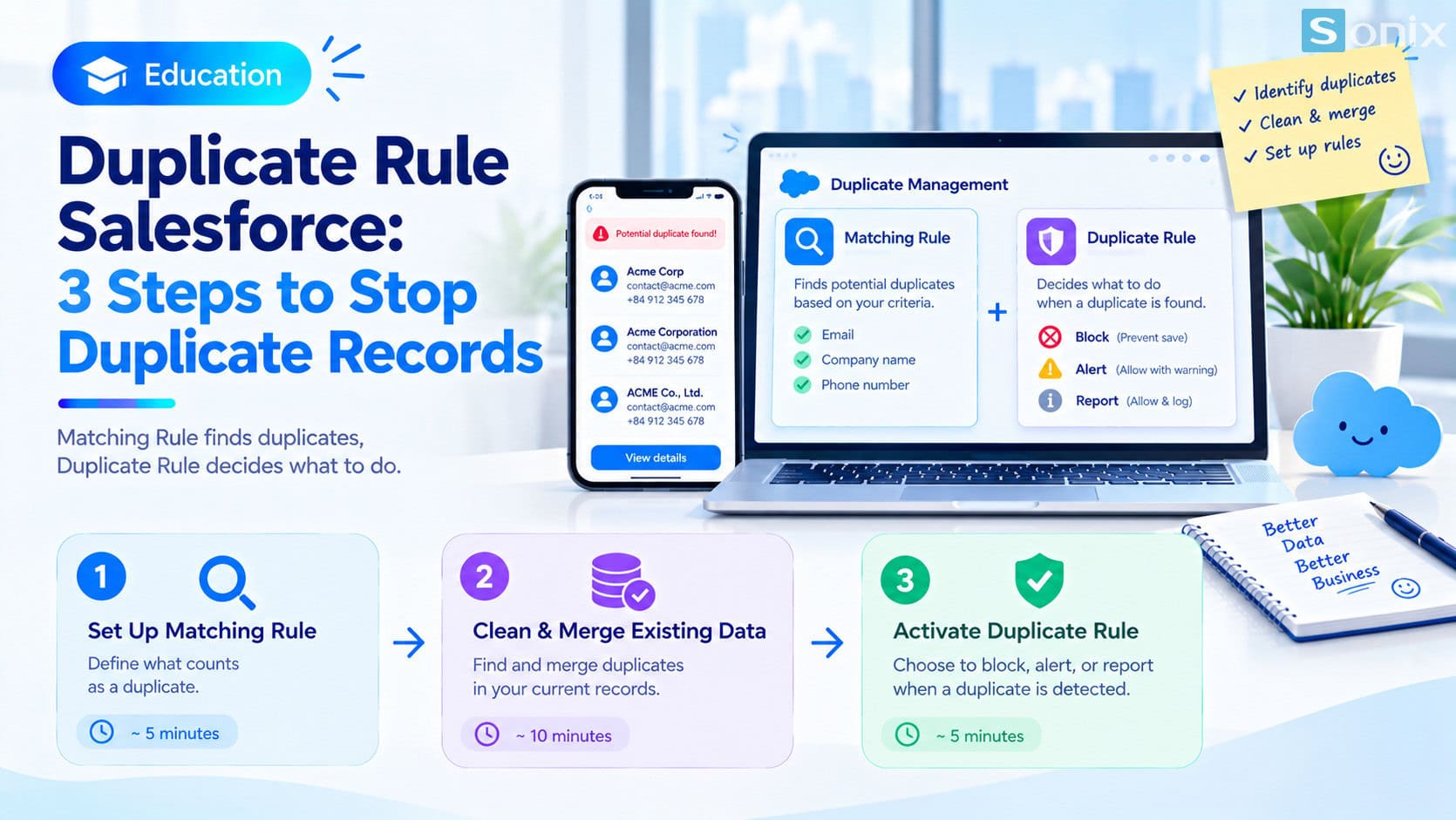 Three steps to handle duplicate customer records in Salesforce.
Why one customer ends up with 3 records
Duplicate records are rarely created on purpose. They come from perfectly ordinary events: two staff members enter the same customer at different times, a spreadsheet is imported again, or the same company is recorded once as “ABC Company” and once as “ABC Co., Ltd”.
Illustrative example: an office equipment distributor has a customer who bought a printer. Sales enters the customer, technical support enters them again when maintenance is needed, and marketing imports them once more from an event. The result is 3 records for the same customer.
Three consequences are common. Staff call the same person repeatedly, which annoys the customer. Reports count one customer as several, so the numbers are wrong. And the history of working with the customer is split across several places, so nobody sees the full picture.
Salesforce duplicate rules: how Matching Rules and Duplicate Rules differ
Duplicate management in Salesforce has two parts that work together. Without one of them, the other does nothing.
| Matching Rule | Duplicate Rule | |
|---|---|---|
| Role | Defines what counts as a duplicate | Decides what to do when a duplicate is found |
| Example | Same email, or same company name and phone number | Block creation, or allow it with a warning |
| When it acts | Used as the basis for comparison | When a user creates or edits a record |
| Without the other | No action happens | No basis to know which records are duplicates |
A Matching Rule can compare exactly (identical values) or approximately (similar names). A Duplicate Rule can apply on create, on edit or both, and is linked to one or more Matching Rules.
Salesforce provides some standard rules for common objects such as Account, Contact and Lead, so check Setup before creating your own. If you need to get comfortable with Setup, Salesforce Sales Cloud Setup Guide in 10 Minutes is a good place to start.
3 steps to handle duplicate records
Define what counts as a duplicate (Matching Rule)
- Choose the object, for example Contact or Account
- Choose the comparison criteria, for example the same email, or company name combined with phone number
- Choose exact or approximate comparison, then activate the Matching Rule
Clean up and merge existing duplicates
- A new rule mainly catches future duplicates, while old data stays as it is
- Use Duplicate Jobs to scan existing data against the Matching Rule and group it into duplicate sets
- Merge each set: pick a master record and keep the correct values. Each merge handles up to 3 records
Switch on the Duplicate Rule with the right action
- Link the Duplicate Rule to the Matching Rule and choose whether it applies on create, on edit or both
- Choose the action: block the save, or allow it with a warning
- Start with a warning and reporting, observe the results, then move to blocking if needed
Why clean up first? If you switch the rules on while old data is still messy, staff editing an old record may meet warnings about duplicates that already existed, which is annoying and trains them to ignore warnings.
Block or only warn: how to choose
A Duplicate Rule typically offers three ways to respond when a duplicate is found. Which one to choose depends on how certain the rule is and how much flexibility the team needs.
| Action | What happens | Use when |
|---|---|---|
| Block | The duplicate record cannot be saved | The match is clear, for example the same email |
| Allow + Alert | The user sees a warning and can still save | The match is approximate, for example similar company names |
| Allow + Report | The record is saved and the match is logged for later | A trial phase, to evaluate the rule before blocking |
A simple principle: block the cases you are sure about, and only warn on the ones you are guessing at. A common mistake is setting an alert while expecting a block, even though users can click past an alert.
Notes for applying this to your data
Start with warnings. Move to blocking once the rule is tuned and the team is used to it. Blocking too early on loose criteria can reject valid records, for example two different people sharing one company email address.
Be careful with bulk imports. How the rules apply when you import a file or load data with a tool may differ from manual entry. Try a small batch first and check the result.
Merging has consequences. When you merge, related records such as activities, opportunities and cases are usually moved to the master record, but not everything moves automatically. Check carefully and back up your data before merging in large numbers.
There is no bulk merge button. The built-in merge handles each set of up to 3 records, so for thousands of duplicate pairs you may need a dedicated tool or help from your implementation partner.
Keep data clean over time. Rules are only one layer. Consistent entry conventions, such as writing company names one way, and a habit of searching before creating keep data clean in the long run. If you want to try these rules in a free org, see Developer Edition Free: 5 Things to Try in 30 Minutes.
Duplicate-handling checklist
Before switching on any rule, run through this short list to make sure your data and rules are ready.
☐ Defined the duplicate criteria for each object (email, company name plus phone)
☐ Created and activated a Matching Rule
☐ Scanned old data with Duplicate Jobs and merged the duplicate sets
☐ Backed up data before large merges
☐ Switched on the Duplicate Rule in warning mode and watched the results
☐ Decided which cases will move to blocking
☐ Agreed on entry conventions and a search-before-create habit
How many duplicates does your customer data have today? Leave a comment below, the Sonix team would love to hear how you work.
Salesforce CRM
Best Practices
How-to
SME
Book a consultation with Sonix to review duplicate data and design Matching Rules and Duplicate Rules that fit your business.
Sonix: Your success is our happiness.
Leave us your comment