

 Tiếng Việt
 日本語
Year-end CRM prep needs to happen before the busy season arrives, otherwise a process that is barely holding together will break exactly when you are busiest. Suppose leads double within a few weeks. A wrong lead routing rule, an outdated quote template or an approval threshold that causes a bottleneck will lose deals right when speed matters most.
The short answer: five tasks are worth finishing before mid-December. One, clean the pipeline and close dead deals so the forecast matches reality. Two, check lead routing rules when people are on leave. Three, update price books and year-end quote templates. Four, review the approval thresholds for promotional discounts. Five, prepare daily tracking reports.
Important note: leads doubling and the office equipment distributor below are hypothetical illustrations, not real figures or customers. Features depend on edition and license, and menu names may differ by release. Test every change in a sandbox first, and avoid big changes close to the busy season.
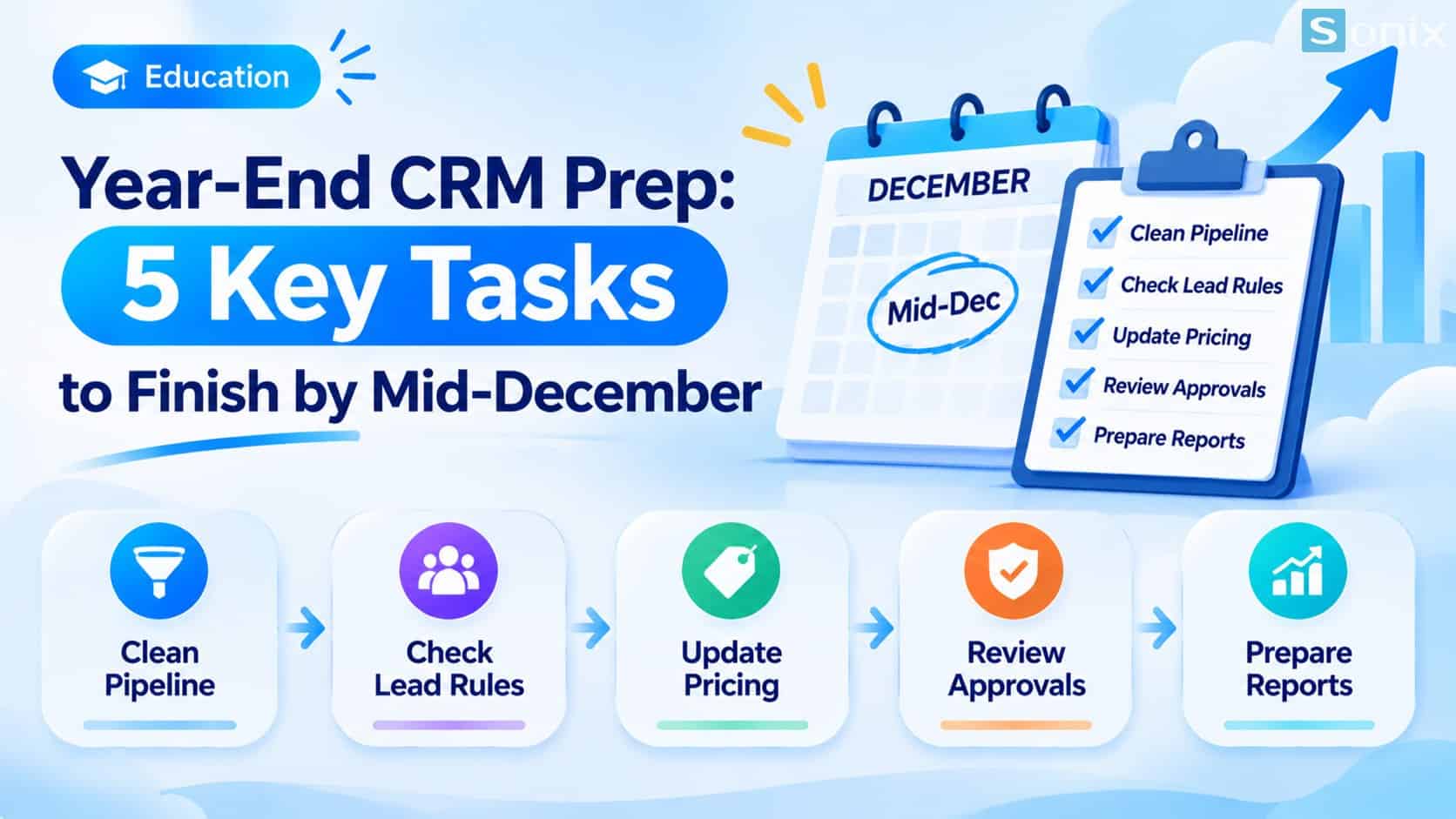 Five CRM tasks to finish before mid-December so nothing slips in the busy season.
Why year-end CRM tasks slip
Year-end is often the busiest stretch: many customers want to close before the year ends, there are promotions everywhere, and many people take leave. That is exactly when the weak spots in a CRM show up.
| What tends to happen | The consequence | The matching preparation |
|---|---|---|
| The pipeline is full of dead deals | An inflated forecast, wrong decisions | Clean the pipeline |
| Leads routed to someone on leave | Leads go cold, customers go to competitors | Check lead routing rules |
| Quotes use an old price book or template | Wrong prices, corrections and resends | Update price books and quote templates |
| Discount approvals wait too long | Deals cool off while waiting | Review approval thresholds |
| Nobody looks at the numbers daily | Problems found too late | Daily tracking reports |
5 year-end CRM tasks
The table below summarizes the five tasks and the goal of each. Details follow in the next two sections.
| Task | What to do | Goal |
|---|---|---|
| 1. Clean the pipeline | Close dead deals, update realistic close dates | A forecast that matches reality |
| 2. Lead routing rules | Check them when people are on leave | No lead goes to the wrong person |
| 3. Price books and quote templates | Update year-end prices and terms | Quotes right the first time |
| 4. Approval thresholds | Review promotional discount thresholds | Fast approvals, no bottlenecks |
| 5. Daily reports | Prepare reports ahead of the busy period | See problems in time |
Tasks 1 and 2: pipeline cleanup, lead routing check
Task 1: clean the pipeline. Filter open Opportunities whose close date has passed, or that have had no activity for a long time. For each deal, the owner or manager decides: update the real close date, pause, or close it. A dead deal should be closed with a loss reason, not deleted, so you keep the history and can learn from it. After cleanup, the forecast will be closer to reality.
A small tip is to add a formula field that flags overdue deals, as shown in Salesforce Formula Field: 3 Easy Examples, No Manual Math.
Task 2: check lead routing rules. A Lead Assignment Rule gives new leads to a user or a queue based on criteria such as region, industry or source. According to reference sources, only one rule is active at a time, so edit carefully. The rule does not know who is on leave. If someone on leave is still in the rule, leads go to them and sit idle.
Before the busy season, go through each rule entry, replace people on leave with someone on duty or a shared queue, and check the Default Lead Owner in Lead Settings. Finally, create a few sample leads to test. For more complex routing, you can combine it with Flow, see the Trailhead superbadge on Flow and assignment rules.
Tasks 3, 4, 5: quotes, approvals, reports
Task 3: update price books and quote templates. Check that the Price Book has the new prices and year-end promotions, the promotion expiry dates, and the terms and effective date in the quote template. Then generate a test quote from a sample deal to be sure it comes out right. Quote features depend on the plan you use.
Task 4: review discount approval thresholds. Revisit the discount level that needs approval, the approver and a backup approver for when someone is away. At year-end there are many promotions, and a request waiting a few days is enough to cool a deal. You can learn how an approval process works in the Trailhead module on approvals. Set a response deadline and escalate to someone else if it is exceeded.
Task 5: prepare daily tracking reports. Build a dashboard ahead of the busy period with four things: new leads not yet handled, deals due to close this week, quotes awaiting approval, and overdue deals. To let the whole team share one dashboard, see Salesforce Dynamic Dashboard: 1 Dashboard for the Whole Team.
A weekly plan before mid-December
If you read this on 20 November, you have about three working weeks before mid-December. This is a reference plan, so adjust it to your team’s size.
| Week | What to do | Note |
|---|---|---|
| 23 Nov to 27 Nov | Clean the pipeline (task 1) | Needs both reps and managers |
| 30 Nov to 4 Dec | Lead routing (task 2), price books and quote templates (task 3) | Test in a sandbox first |
| 7 Dec to 11 Dec | Approval thresholds (task 4), daily reports (task 5), overall testing | Run with sample data |
| From mid-December | Limit big changes | Only small fixes during the busy period |
Notes for preparing your CRM
No big changes near the busy season. Every configuration change should be tested in a sandbox. A big change close to the busy season can break things exactly when nobody has time to fix them.
Who is responsible. Each task needs one owner and a clear finish date.
Cost and edition. Some features such as quotes or advanced approvals depend on edition and license. This is general reference, not advice.
If your CRM foundation is not solid yet, read our Salesforce Sales Cloud setup guide in 10 minutes. If you need help, see Sonix’s Salesforce solutions (in Vietnamese).
Year-end CRM checklist before mid-December
Tick off what you have done.
☐ Cleaned the pipeline: closed dead deals, updated realistic close dates
☐ Checked lead routing rules and replaced people on leave with someone on duty or a queue
☐ Tested the routing rules with a few sample leads
☐ Updated price books, promotional prices and year-end quote templates
☐ Reviewed discount approval thresholds and backup approvers
☐ Built daily tracking reports ahead of the busy period
☐ Agreed on no big changes after mid-December
Which of the 5 tasks above have you not done yet? Leave a comment below and the Sonix team will suggest the fastest way to do it.
Best Practices
Salesforce Sales Cloud
Business
SME
Book a consultation with Sonix to review these 5 tasks on your own CRM and lock in a plan before mid-December.
Sonix: Your success is our happiness.
Leave us your comment