

 Tiếng Việt
 日本語
日本語Are you considering Salesforce but unsure what the interface looks like or if the configuration is complex? This article is a complete summary for a basic Salesforce setup guide for Sales Cloud: from creating a free Trailhead practice environment to closing your first deal, all within 10 minutes. No business email required, no technical skills needed, and no vendor necessary. You can absolutely do it yourself today.
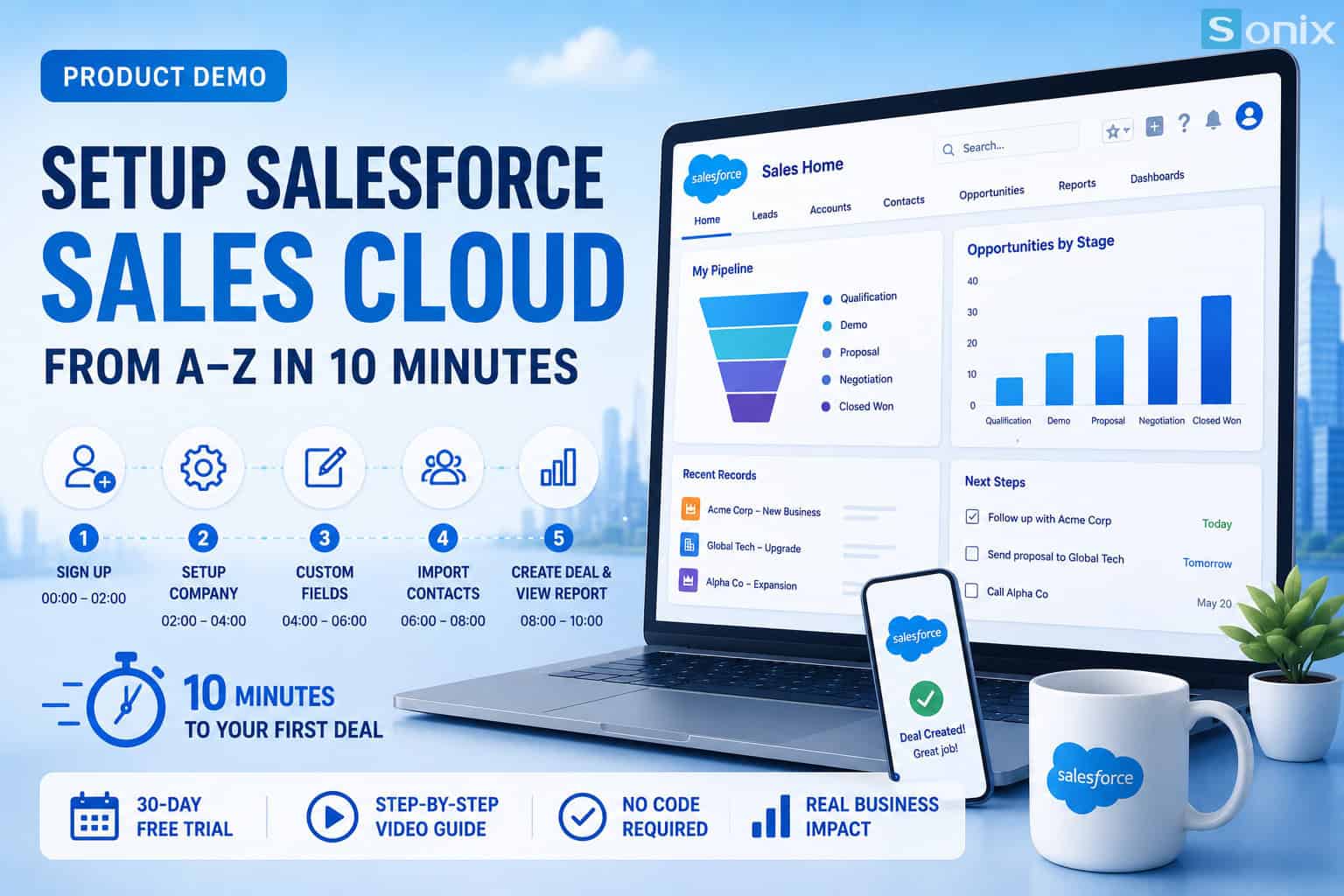 Basic Salesforce Sales Cloud setup from A-Z in 10 minutes: a practical guide by Sonix
Table of Contents
According to Salesforce, SMBs that implement CRM correctly record an average revenue increase of 29%, and the first step is simply a completely free practice account.
Practical Perspective
Why should you set up Salesforce yourself before meeting a vendor?
Most Vietnamese SMBs approach CRM by “listening to a vendor’s introduction and then watching a demo”. This makes you completely passive in the conversation. Once you have run through a Salesforce setup guide yourself, you will know what you need, what is missing, and what questions to ask.
Salesforce offers the Trailhead learning platform with fully featured “Playgrounds” (practice environments): no business email needed, no credit card required, and no 30-day limit. This is your chance to verify things practically instead of just looking at PowerPoint slides from a partner.
According to Gartner, businesses that explore CRM themselves before contacting a vendor have a 40% higher implementation success rate compared to the group that relies entirely on a provider from the start.
Free
Unlimited time Trailhead practice environment
10′
Time to set up a basic pipeline from a new org
+29%
Average revenue growth when using CRM correctly
Practical Tutorial
Step-by-step Salesforce setup guide
Below is a detailed Salesforce setup guide from the Sonix team. Each step comes with actual illustration images so you can follow along while reading this article. The structure is designed so that even someone who has never used Salesforce can do it right away.
Step 1: Create a Trailhead Account & Configure Company Settings
Create a Trailhead Playground environment
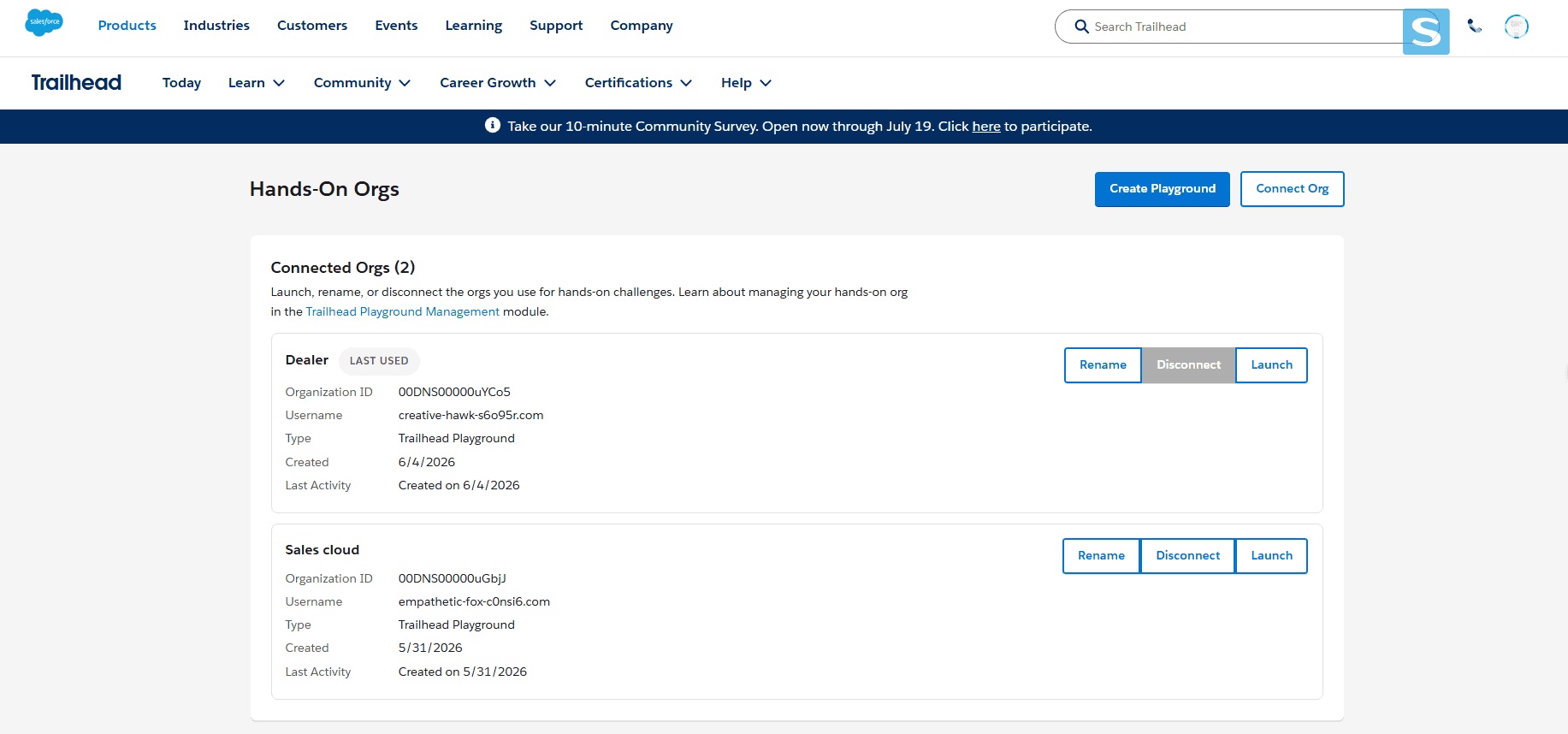
Visit trailhead.salesforce.com, and register for a free account using your personal email. In the Hands-On Orgs management section, click the Create Playground button so the system can instantly generate a practice environment. It only takes 2-3 minutes, is completely free, and does not require a business email.
Access Sales Cloud & Configure Company Settings
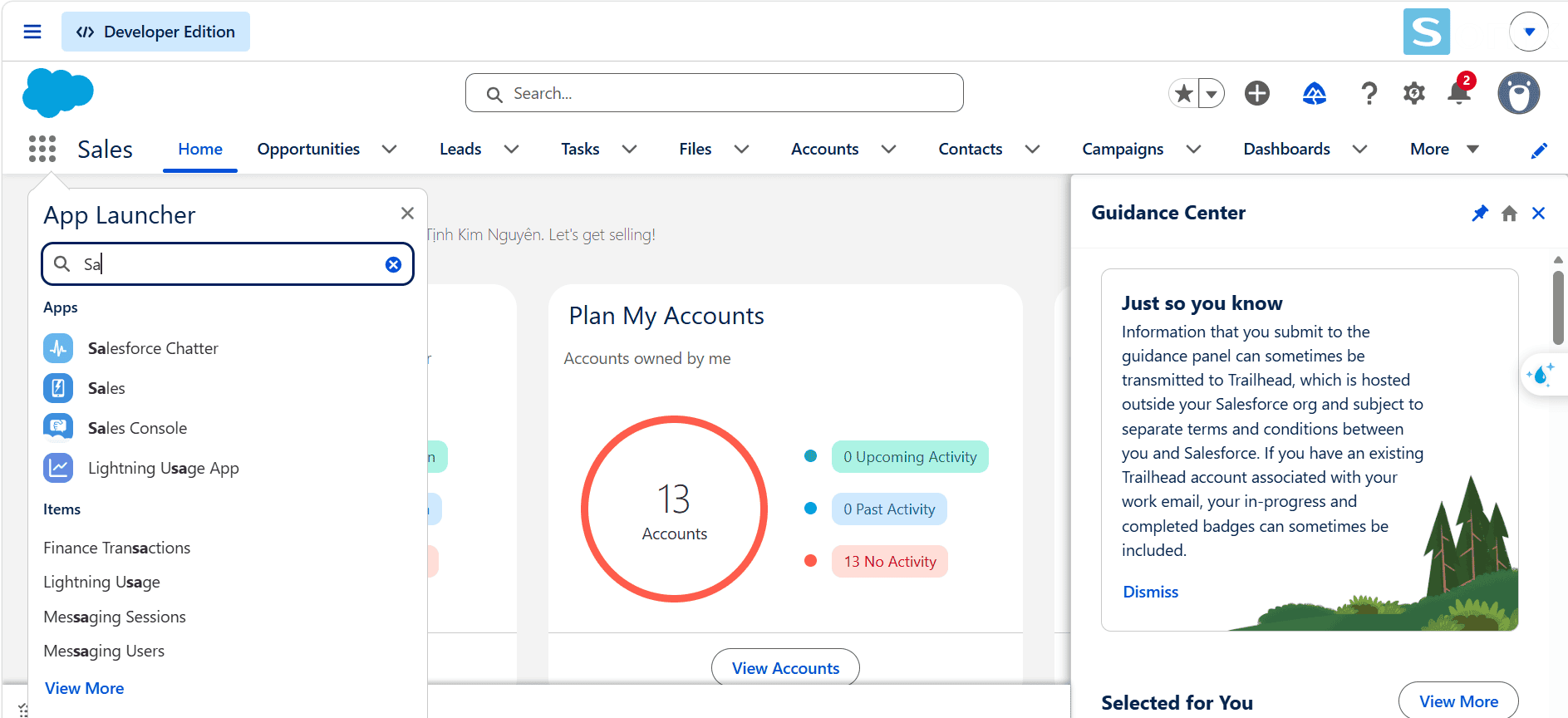
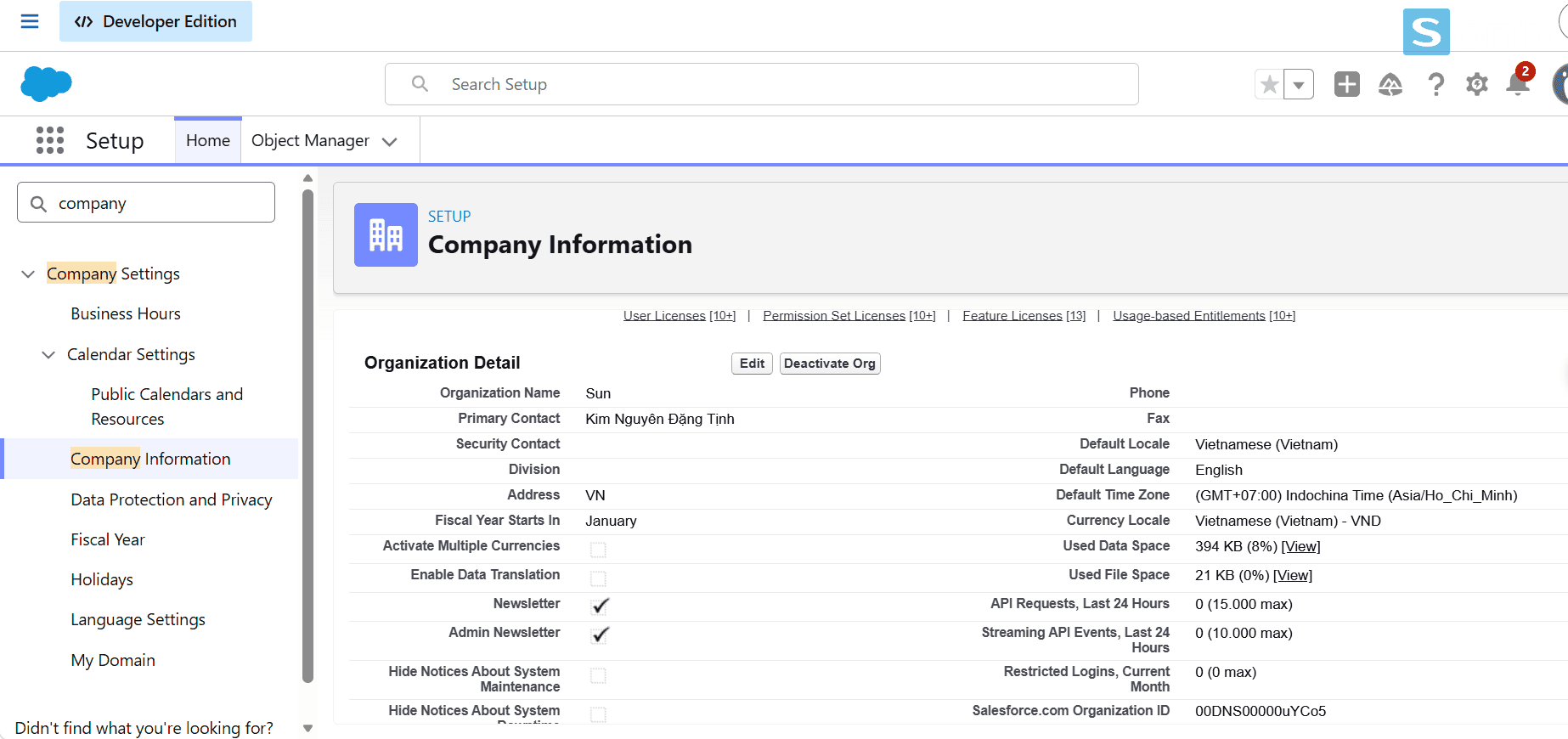
At the newly created Playground, click the Launch button. On the main interface, click the 9-dot icon (App Launcher) in the top left corner, type and select the Sales app. Then, click the gear icon in the top right corner and select Setup. Find the menu Company Settings → Company Information, and click Edit to update the time zone (Asia/Ho_Chi_Minh) and currency (Vietnamese – VND). This step is crucial for reports and forecasts to display correctly later.
Step 2: Custom Fields & Opportunity Stages
Create a Custom Field for Opportunity
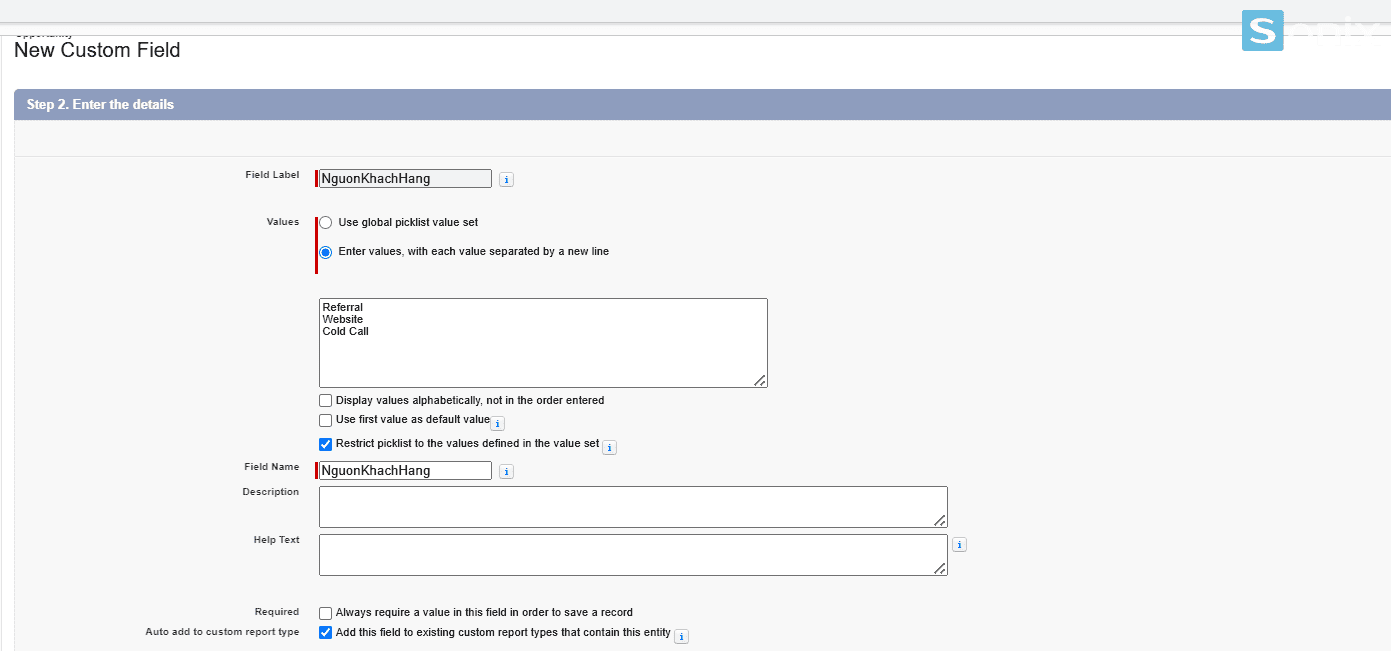
Go to Object Manager → Opportunity → select the Fields & Relationships tab, then click the New button. On the Data Type selection screen, check Picklist and click Next. Fill in the Field Label (e.g., Lead Source), check the option “Enter values, with each value separated by a new line”, and input values like Referral, Website, Cold Call (one value per line). Finally, click Next and Save to complete.
Setup Opportunity Stages
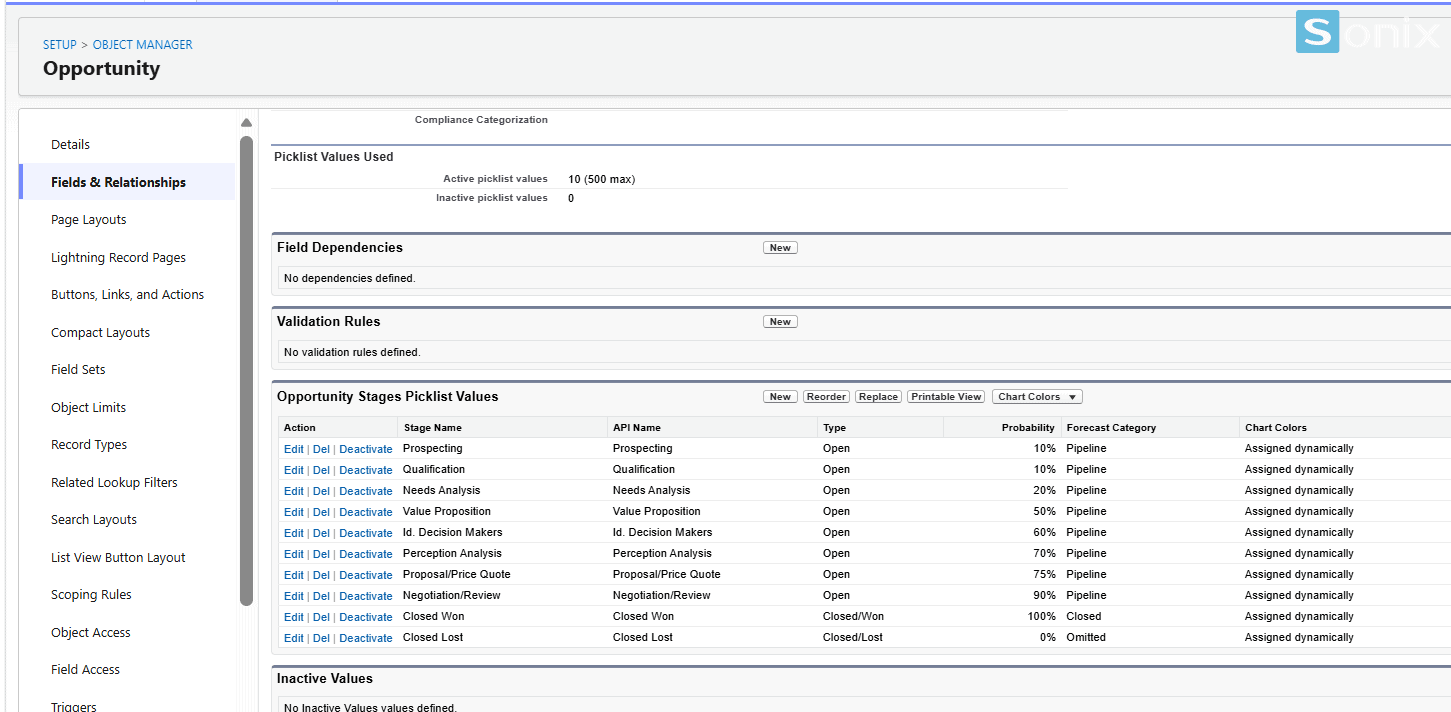
Go to Object Manager → Opportunity → Fields & Relationships → Stage. Delete the default stages if they do not fit, and add stages according to your actual sales process. Remember to assign a % probability for each stage to accurately forecast your deal closing rate.
Step 3: Create a sample Contact & your first Deal
Enter Contact data into the system
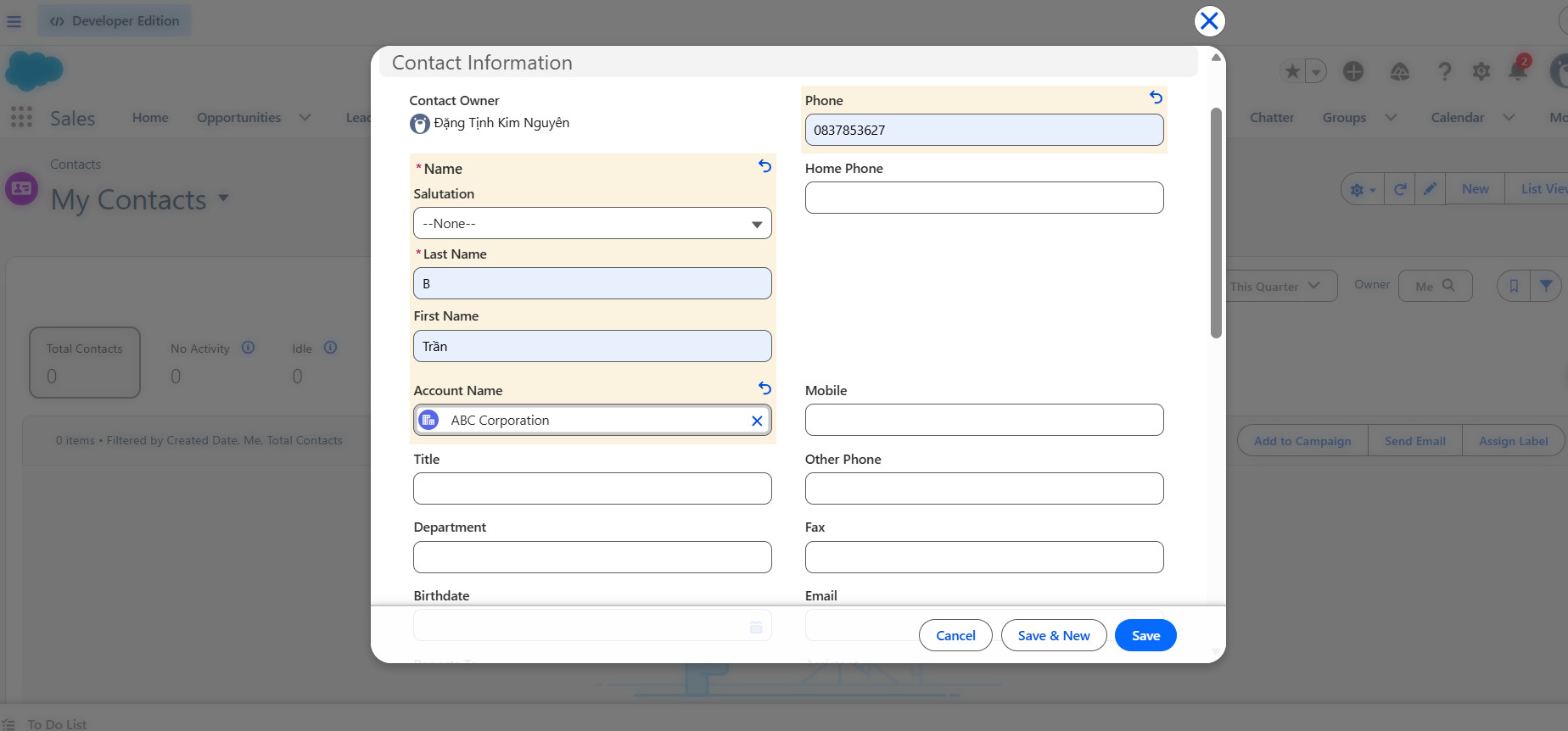
There are 2 ways to create a customer list: use the Import feature with a CSV file if you have a lot of data, or create them manually one by one. For quick practice, click the Contacts tab → click New. Fill in basic information such as First Name, Last Name, Email, and Phone, then click Save to immediately create 1 sample Contact record.
Create your first Deal (Opportunity)
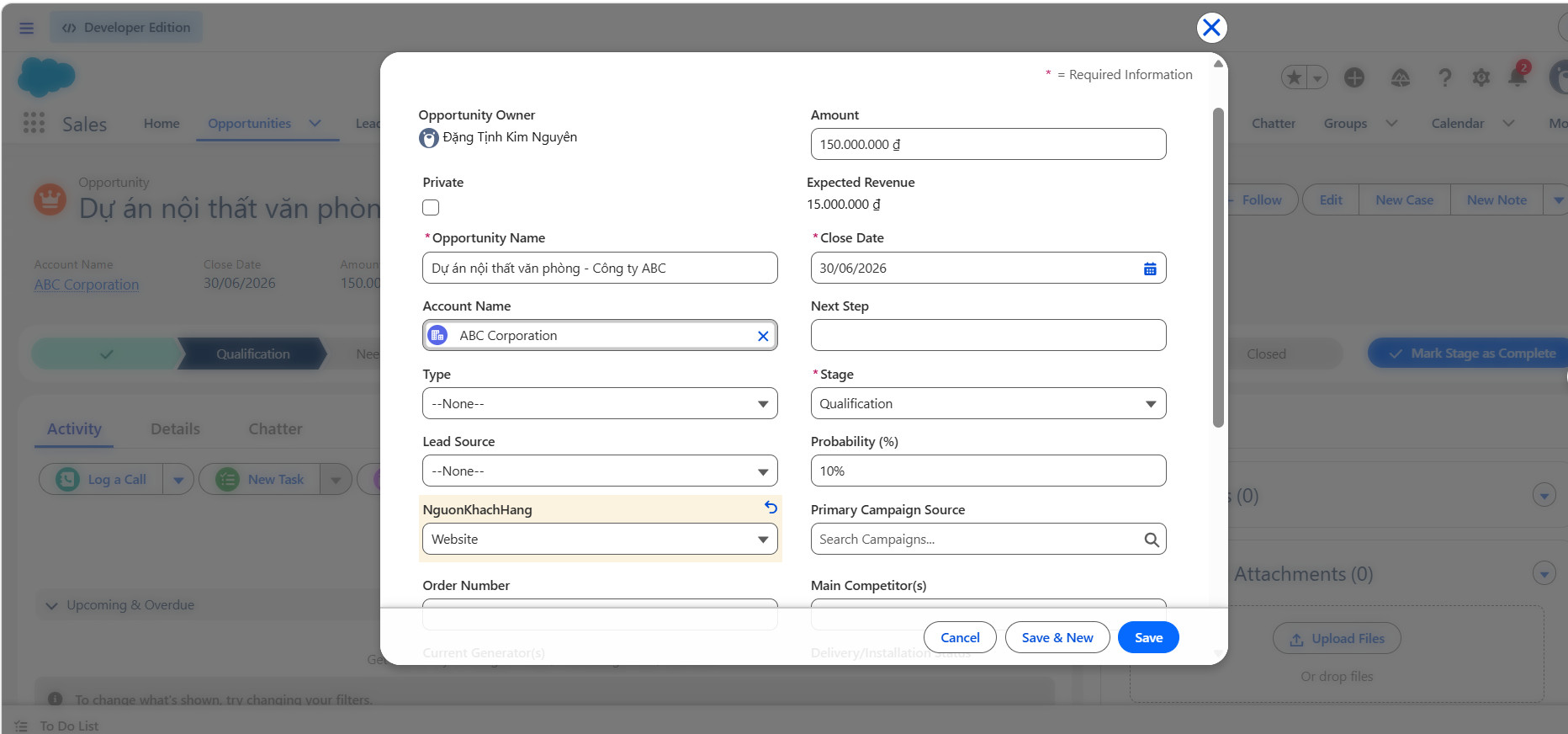
Switch to the Opportunities tab → click New, fill in the deal name and link it to the Contact you just created in the previous step. Select the current Stage, enter the Amount and Close Date, then click Save. This is an important step to help you “feel” how Salesforce works in reality.
Step 4: View Report & Pipeline Overview
View the Opportunity Pipeline Report
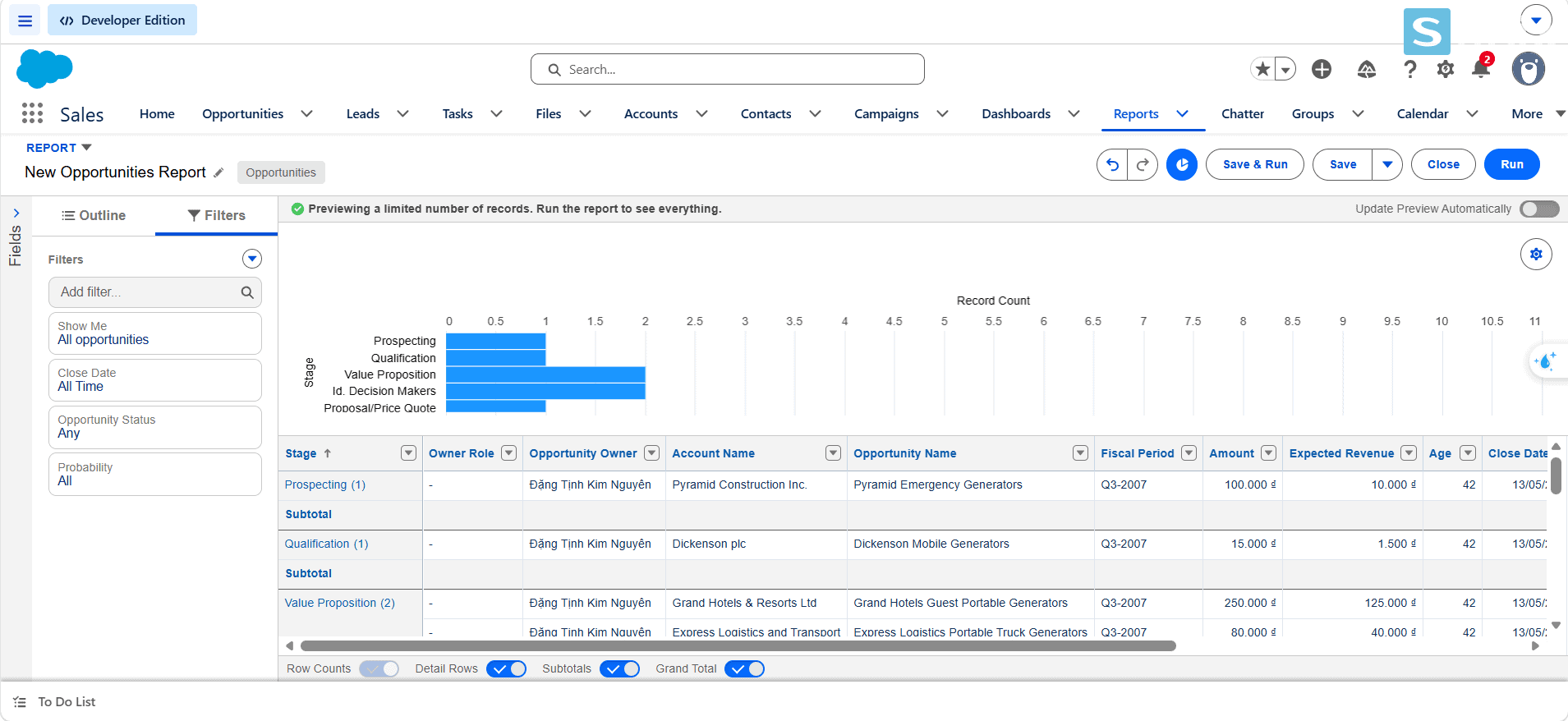
Go to Reports → New Report → Opportunities, select the “Opportunities by Stage” template, and run the report to instantly see your pipeline by each stage. This is the first report every Sales Manager needs to look at every morning.
After the tutorial
Next steps after completing the setup
After completing the basic Salesforce setup guide, you have a functioning org with an actual pipeline. This is the foundation to advance into more complex topics. Upcoming articles in Sonix’s Salesforce tutorial series will dive deep into: Automation Rules, Email Templates, and integration with marketing tools.
If after setting it up yourself you realize your business needs more complex customization such as multi-team support, approval processes, or ERP integration, this is the time to speak with an experienced Salesforce partner. Sonix has supported Salesforce implementation for many businesses in Vietnam and Japan with a clear, no-strings-attached onboarding process.
Follow Sonix’s blog to make sure you don’t miss the next articles in the series: one practical topic every week, from setup to optimization.
| Criteria | Self-setup (Trailhead) | With a Salesforce Partner |
|---|---|---|
| Basic setup time | 10–30 minutes | 1–2 weeks (including discovery) |
| Complex customization | Limited, requires self-learning | Fully consulted & implemented |
| Best for | Exploring, learning features | Official deployment, scaling |
Summary
Key Takeaways
| Takeaway | What it means for the business |
|---|---|
| The Salesforce setup guide takes only 10 minutes | There is no reason to delay. Start with Trailhead today, no business email required. |
| Custom Fields & Stages are the soul of the pipeline | Correct configuration from the beginning helps reports and forecasts reflect business reality. |
| Setting it up yourself makes you more proactive with vendors | You know what you need, can ask the right questions, and avoid buying unused features. |
| Sonix’s Salesforce tutorial series | A practical article series that supports you in practicing on Trailhead more easily. |
Finished reading the Salesforce setup guide, what’s the next step?
If you want to officially deploy Salesforce Sales Cloud for your team, Sonix is ready to accompany you from process consulting to customization and training.
Follow the blog to ensure you don’t miss the next article in the Salesforce tutorial series.
Sonix – Your success is our happiness.
Leave us your comment