

 Tiếng Việt
 日本語
日本語At the peak of Black Friday and Year-End holiday shopping: the flagship downtown store sells out of Medium winter jackets within just two days of launching the promotion, turning away disappointed customers. Meanwhile, the suburban distribution center and a secondary branch still have over 200 units sitting idle on racks. The paradox of “running out of stock in one location while piling up dead inventory in another” is a chronic bottleneck for expanding retail chains that lack real-time coordination and cross-store inventory visibility.
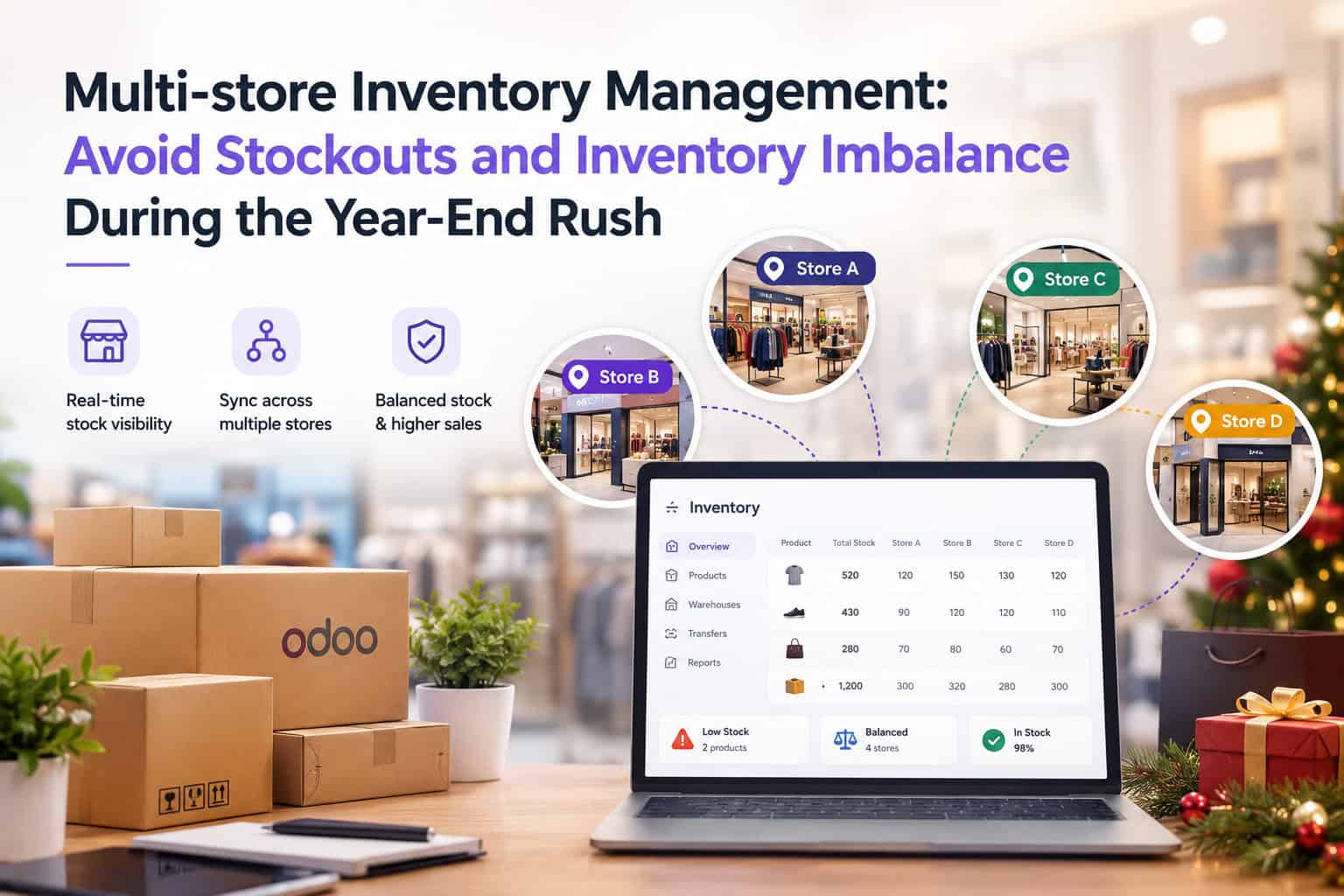
This article breaks down how retail businesses structure an interconnected multi-store and multi-warehouse network using Odoo Inventory, enabling retail teams to monitor real-time stock across every location, trigger automated internal transfers, and optimize seasonal replenishment rules before peak-season order spikes hit.
Table of Contents
- The Peak Season Dilemma: Localized Stockouts vs. Trapped Working Capital
- Odoo Multi-Store Architecture: A Single Unified View Across All Locations
- Streamlined Internal Stock Transfers & Smart Routing
- Automated Reordering Rules & Dynamic Safety Stock Buffers
- 4-Step Action Checklist to Prepare Your Multi-Store Inventory
💡 Core Insight: Effective multi-store inventory management does not mean overstocking every branch to the ceiling. True control lies in real-time omnichannel inventory visibility and agile stock rebalancing—moving products smoothly from surplus locations to deficit counters before shoppers walk away to competitors.
-85%
Reduction in lost sales caused by isolated store stockouts
100%
Real-time stock synchronization across POS, Web, and Central Warehouse
3x
Faster internal stock transfer cycle time between regional stores
PART 1
The Peak Season Dilemma: Localized Stockouts vs. Trapped Working Capital
The fourth-quarter sales rush drives the highest sales velocity of the year, but it also magnifies systemic inventory cracks across multi-location chains. Three blind spots repeatedly derail operational efficiency:
| Operational Blind Spot | Peak-Season Reality | Financial & Business Impact |
|---|---|---|
| Fragmented store databases | Each branch maintains disconnected spreadsheets, or POS databases only sync back to the head office at the end of the day | Zero cross-store visibility; sales staff falsely turn away customers by assuming the entire company is out of stock |
| Informal, manual transfers | Store managers request stock via messaging apps without generating documented goods delivery and receipt notes | Inventory goes missing in transit; massive book-to-physical variance discovered during year-end financial audits |
| Inaccurate demand forecasting | Over-ordering slow-moving SKUs out of caution while under-ordering high-velocity hero items | Trapped cash flow post-holidays, inflated storage costs, and deep markdown margins to liquidate leftover items |
PART 2
Odoo Multi-Store Architecture: A Single Unified View Across All Locations
The Odoo Inventory module manages complex chain topologies using centralized multi-warehouse and multi-location structures, creating instant synchronization across an integrated database:
🌐 Direct Cross-Store Stock Lookup on the POS Screen
When a shopper inquires about an out-of-stock item at the checkout register, cashiers can query live stock levels across all other stores directly within the POS screen. With full visibility into nearby store quantities, the cashier can immediately reserve items, organize store-to-door delivery, or initiate an inter-branch transfer.
📊 Clean Distinction: “On Hand” vs. “Available / Forecasted” Stock
Odoo clearly distinguishes between physical products resting on shelves and quantities already committed to online checkout carts or awaiting customer pickup. This strict separation prevents overselling during flash promotions when retail counters and e-commerce channels share central fulfillment stock.
🏢 Granular Branch Permission Control
Store staff are restricted to managing stock moves, receipts, and audits specifically within their assigned location. This stops accidental modifications to peer store records, while C-level leadership and inventory controllers maintain aggregate multi-store oversight.
PART 3
Streamlined Internal Stock Transfers & Smart Routing
Eliminating unstructured ad-hoc messaging, Odoo standardizes internal store replenishment via a robust 2-step or 3-step Internal Transfer workflow with full auditability:
| Stage | System Action in Odoo | Operational Safeguard |
|---|---|---|
| 1. Transfer Request | The deficit branch submits an Internal Transfer request for needed quantities from the central warehouse or a neighboring hub. | The system automatically verifies available stock at the source location, blocking dispatch of units already reserved for customer orders. |
| 2. Dispatch & Transit Handling | Origin warehouse picks, packs, and scans items out. The inventory shifts automatically to an interim “Transit Location”. | Stock is never unaccounted for in accounting ledgers: finance clearly sees floating in-transit inventory value on real-time balance sheets. |
| 3. Receipt & Verification | The receiving branch scans inbound packages with Odoo Barcode and confirms delivery. | Any damaged or missing packages trigger an immediate discrepancy log to trace logistics accountability without delaying floor stocking. |
PART 4
Automated Reordering Rules & Dynamic Safety Stock Buffers
To prevent checkout counters from going empty during sudden holiday sales surges, Odoo provides granular **Reordering Rules** configured per branch and per SKU:
- Configurable Minimum & Maximum Quantity Thresholds: For example, a central store sets a hero apparel item with Min = 10, Max = 50. The moment available stock dips below 10, Odoo automatically generates a Draft Request for Quotation (RFQ) to vendors or initiates an internal restock transfer from the central DC.
- Dynamic Seasonal Buffers: Prior to high-traffic weeks (November through Year-End), planners can raise minimum stock rules by 30% to 50% for core revenue-generating SKUs, maintaining full shelves without manual daily checks.
- Multi-Tier Replenishment Routes: Satellite branches can be routed to replenish directly from regional fulfillment hubs rather than main supplier shipments, shortening replenishment turnaround times from days to hours.
PART 5
4-Step Action Checklist to Prepare Your Multi-Store Inventory
Retail chains should systematically complete this operational checklist before opening their doors to peak holiday traffic:
🧹 Pre-Season Inventory Cleanup & Stock Count
Execute rapid cycle counts across all locations using Odoo Barcode to bring ledger balances close to 100% accuracy, clearing out phantom inventory before marketing campaigns launch.
🏷️ Standardize Barcode Labeling Across Locations
Ensure every product unit and carton label follows unified barcode standards, and test handheld PDA scanners and POS peripherals under heavy simulated workloads.
⚙️ Calibrate Min-Max Stock Levels for Key SKUs
Analyze historical sales data from the prior year and align safety stock thresholds with current promotional forecasts for top-performing items (the top 20% of SKUs that generate 80% of revenue).
🎓 Train Frontline Staff on Cross-Store Fulfillment
Rehearse cross-store inventory lookup scenarios, ship-from-store procedures, and mobile receiving handoffs so cashiers and floor staff operate with speed during peak checkout lines.
Explore more about modern multi-warehouse workflows and enterprise architectures with Sonix’s certified Odoo Implementation Services.
KEY TAKEAWAYS
| Core Capability | Tangible Business Benefit |
|---|---|
| Live Cross-Store Lookup at POS | Saves lost sales by shipping directly from peer stores instead of declining customers. |
| Automated Transit Location Accounting | Maintains unbroken oversight of goods in transit, preventing shrinkage and ledger mismatches. |
| Seasonal Automated Reordering | Keeps shelves replenished during demand surges while keeping excess inventory in check post-holiday. |
Is your retail network ready for peak-season demand?
Book a 1-on-1 strategy session with Sonix ERP specialists to configure multi-warehouse topologies, set automated replenishment rules, and balance inventory across your retail chain.
🚀 Consult on Odoo Multi-Store Inventory
Sonix – Empowering operational excellence and business productivity.
Leave us your comment