

 Tiếng Việt
 日本語
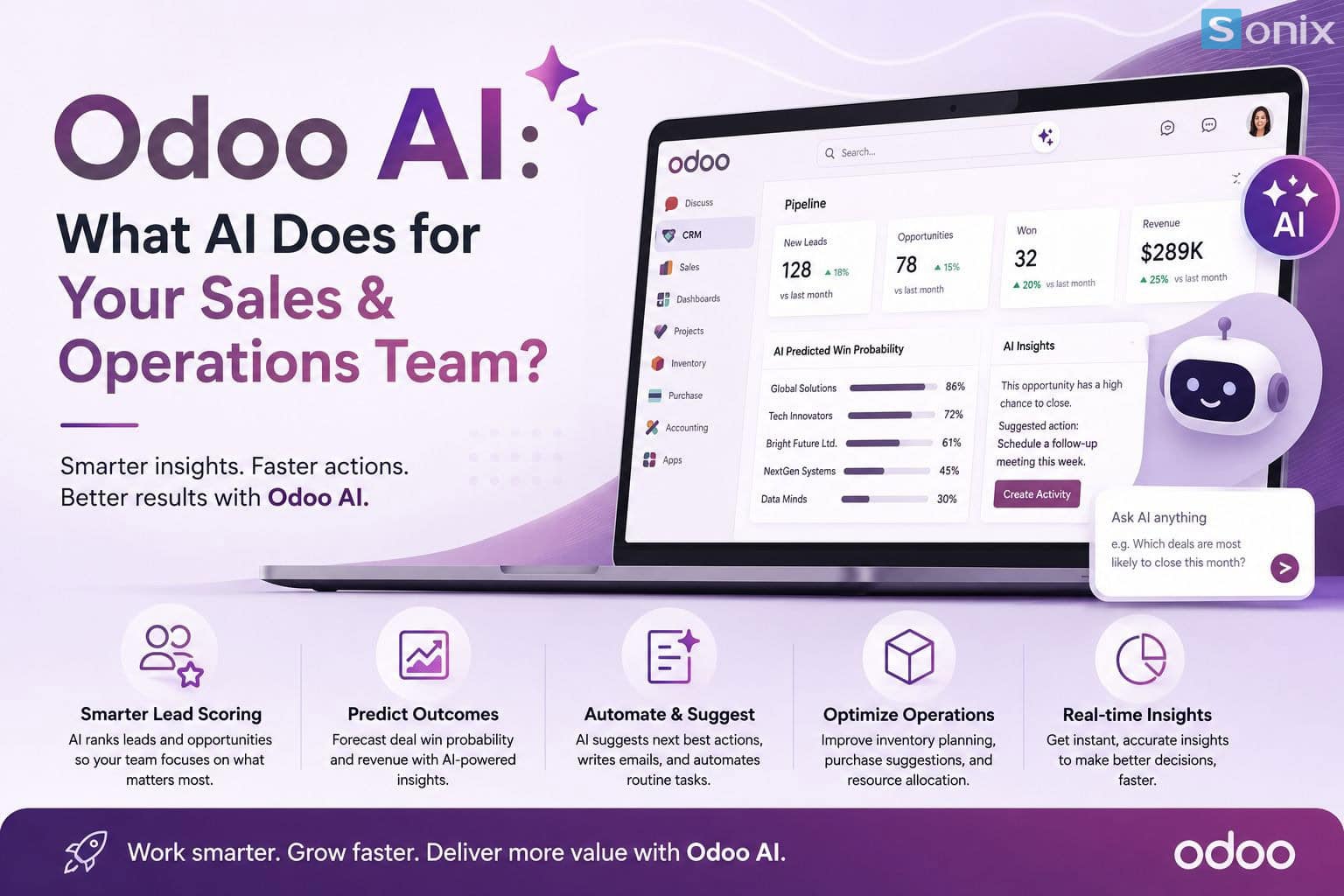
日本語Odoo 19 embeds AI into nearly every module from CRM to Accounting to Inventory and the best part is that SMBs can start using it right away, no dedicated data science team required. But what does “Odoo AI” actually do for your sales and operations teams? This article breaks it down clearly, without the marketing gloss.
In this article
💡 Core insight: Odoo AI isn’t a single feature you switch on it’s a machine-learning layer that learns from your own operational data, already built into the CRM, Accounting, and Inventory modules you use every day.
PART 1
What Odoo AI is and isn’t
Many business owners hear “AI in ERP” and picture a magic chatbot running the whole company on its own. The reality is much simpler: Odoo AI consists of machine-learning models built into each module that learn from your company’s own transaction history not generic data pulled from somewhere else.
According to Odoo’s official documentation, features like lead scoring work by analyzing your CRM’s won and lost opportunities to predict the closing probability of new leads the cleaner your data, the more accurate the predictions.
Learns from your data
Not a generic model it learns from your company’s own CRM, inventory, and accounting history
Built in, no add-ons needed
Already inside the CRM, Accounting, and Inventory apps you’re already using
People still decide
Every AI suggestion can be manually overridden when needed
PART 2
AI for the Sales team: lead scoring, action suggestions, automated chat
This is the most visible, clearest-value area of AI in Odoo 19, concentrated in the CRM module:
Important: AI never sets a deal to 100% probability on its own Odoo deliberately caps this to prevent unrealistic forecasting. Sales managers can always override the score manually when they have real-world information the system doesn’t “know” yet (for example, a customer has already confirmed a purchase over the phone).
PART 3
AI for operations: accounting, inventory, and cash flow
Beyond sales, AI in Odoo 19 also quietly reduces the workload for the two departments that tend to get bottlenecked most in SMBs: accounting and inventory.
| Module | What AI does | Practical benefit |
|---|---|---|
| Accounting | OCR invoice reading, automatic payment matching and reconciliation | Less manual data entry, earlier detection of unusual spending |
| Inventory | Demand forecasting, suggested reorder points | Less excess stock and lower risk of stockouts |
| Sales → Accounting | Automatic payment reminders, synced data across the entire order-to-cash flow | Tighter cash-flow visibility and fewer data mismatches between departments |
The common thread across all these features: they work best when input data is clean and consistent. A sloppily-recorded inventory system will lead to inaccurate AI forecasts the “garbage in, garbage out” rule still applies.
PART 4
AI frees up your team it doesn’t replace it
This is something SMBs need to get right from the start: the goal of Odoo AI isn’t to cut sales or accounting headcount it’s to free your people from repetitive admin work data entry, manual scoring, manual reconciliation so they can spend more time on what AI still can’t do: negotiating, caring for customers, and making decisions based on real-world context.
⚠️ Important note: Odoo’s AI learns from your historical data if your CRM is messy or your inventory records are inaccurate, clean up your data first before expecting accurate AI predictions.
PART 5
Which AI module should SMBs start with?
You don’t need to switch on every AI feature at once. For an SMB still running things manually, a sensible priority order looks like this:
SUMMARY
Key Takeaways Odoo AI for Vietnamese SMBs
| Takeaway | What it means for your business |
|---|---|
| AI learns from your company’s own data | The cleaner your CRM/inventory/accounting data, the more accurate the predictions |
| Predictive Lead Scoring is the best starting point | Prioritize the right leads and boost sales efficiency within the first month |
| OCR & inventory forecasting reduce operational load | Less manual data entry, more proactive stock control |
| AI frees people up it doesn’t replace them | Your team still makes the final call; AI just suggests and handles the repetitive parts |
| Roll out AI in phases, not all at once | Start with CRM, then Accounting, then Inventory once you have enough data |
Want to know exactly what Odoo AI can do for your own workflow?
Every business has different data and different bottlenecks. Sonix helps you identify which AI module to switch on first, based on the real state of your data not a generic feature list.
💬 Comment “AI” below if you’d like Sonix to take a quick look at your current CRM or inventory data.
Sonix — Your success is our happiness.
Leave us your comment