

 Tiếng Việt
 日本語
日本語Tableau is an analytics and data visualization platform that connects to a wide range of data sources. The question Sonix hears most is simple: if Salesforce already includes Reports & Dashboards, why would you need a separate analytics tool?
The short answer: built-in CRM reports work well when your data lives in one system and the questions repeat every week. A dedicated analytics tool fits when you need to combine data from several systems, explore it across many dimensions, or build more advanced visuals. If all you need is pipeline and revenue by rep, the built-in reports are usually enough.
Important note: the office equipment distributor in this article is a hypothetical example, not a real customer. The analytics tool is licensed separately and does not come with your CRM license. Reporting limits and features vary by edition and can change with each release, so check the official documentation before deciding.
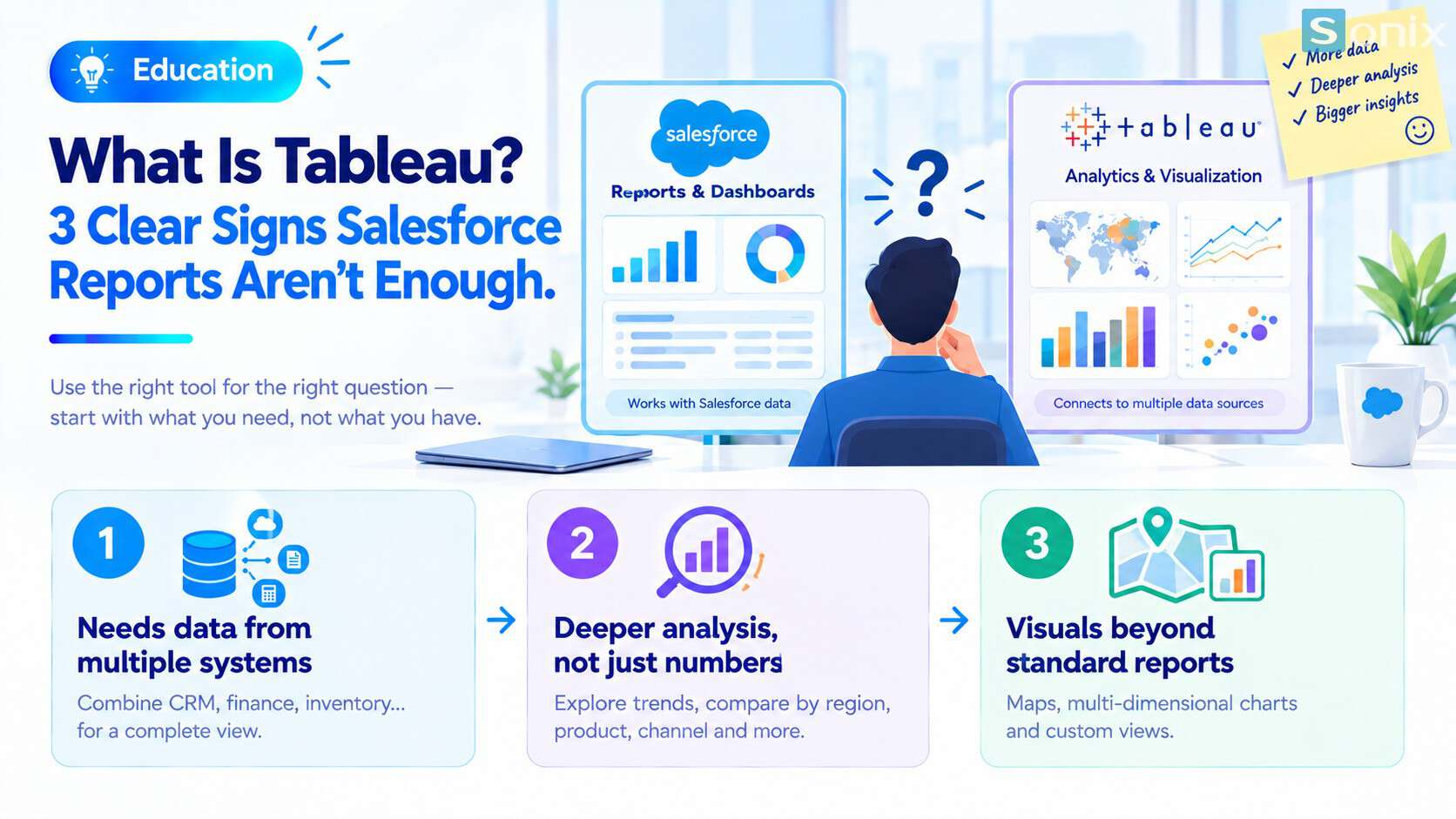 Built-in reports work with data inside the CRM; a dedicated analytics tool combines data from many sources.
What built-in CRM reports do well
Before looking at a new tool, it is worth being fair to the one you already have. Built-in Reports & Dashboards are strong in three ways.
The data is always current. Reports run directly on live CRM data. When a rep updates an Opportunity, the next report run shows it.
Business users can build them. People outside IT can drag fields, filter, group and save reports without a technical team. For a quick start with the platform, see the Sales Cloud setup guide in 10 minutes.
Permissions are respected. Each person sees only the numbers they are allowed to see, based on your sharing settings.
Built-in reporting also has limits. Reports are designed around CRM data, so finance or inventory figures have to be brought into the CRM first. Displayed rows, dashboard components and filters are all capped. For example, according to the official Reports and Dashboards API limits documentation, the reports API returns at most the first 2,000 rows.
What is Tableau: the main components
It is an analytics platform that joined the Salesforce family in 2019. Its strengths are broad connectivity to data sources, drag-and-drop exploration across many dimensions, and rich visualizations. It is not one application but a family of products. For a small or mid-sized business, these are the names to know:
Tableau Desktop
- The installed authoring tool for building visualizations and dashboards
- Used mostly by analysts
Tableau Cloud and Tableau Server
- Where dashboards are shared with the whole company through a browser or mobile app
- Cloud is hosted by the vendor; Server is installed and managed by your own team
Tableau Prep
- Cleans, combines and reshapes data before it reaches a dashboard
- Replaces the weekly ritual of fixing spreadsheets by hand
Tableau Pulse and Tableau Next
- Pulse delivers metrics to the people who need them, with AI-generated explanations of what changed
- Next is the agent-assisted analytics direction, built on Data 360
The full list with descriptions is in the official Product Overview. To see where it fits in the bigger picture, read Salesforce Ecosystem: 5 essential pieces, clearly explained.
Tableau vs built-in reports
The table below is a high-level comparison. The question is not which one is better, but which one fits the question you need to answer.
| Built-in CRM reports | Dedicated analytics tool | |
|---|---|---|
| Data sources | Data in the CRM | Many: CRM, databases, spreadsheets, finance and inventory systems |
| Data freshness | Real time | For CRM data: as of the last extract refresh |
| Analytical depth | Filters, groupings, summary formulas | Free exploration, complex calculations, long-term trends |
| Chart types | Common types | Wider range, including maps and custom visuals |
| Main users | Sales, managers, service | Managers, analysts |
| Cost | Included in your CRM license | Separate license |
There is also a middle option: CRM Analytics, formerly called Einstein Analytics. It is an analytics tool native to the CRM, more powerful than built-in reports, and also licensed separately. The names are easy to mix up, so when you talk to a partner, ask exactly which product they mean.
3 signs it is time for Tableau
Hypothetical example: a 40-person office equipment distributor uses a CRM for sales, a separate accounting system and an inventory system. Pipeline reports work fine, but three situations start to appear.
Questions need data from several systems
- The director asks which deals are closed but still unpaid. The answer lives in both CRM and accounting
- Today someone exports two spreadsheets and merges them by hand, half a day every month
You need analysis, not just numbers
- The question shifts from how much revenue to why revenue in one region dropped
- You need to pivot by region, product, channel and time without building a new report each time
You need visuals built-in reports cannot produce
- Revenue maps by province, multi-year trends, or several metrics compared on one screen
- The team takes screenshots of reports and rebuilds charts in PowerPoint
If none of these sound familiar, you do not need to invest further yet. Get the most out of built-in reporting first, especially dynamic dashboards and filters.
Connecting Tableau to Salesforce: what to know
The two systems connect through a dedicated connector. Based on the official connector guide, a few points are worth knowing before you plan.
Extracts only, no live connection. The connector does not support live connections. Data is pulled into an extract, so dashboards are only as fresh as the last refresh. Schedule refreshes before key meetings and show the last-updated time on the dashboard.
Incremental refresh has a window. Incremental refreshes only pick up records added or changed in the last 30 days. Older changes need a full refresh.
Formula fields do not come across. CRM calculated fields are excluded from the extract and must be rebuilt in the analytics tool. List your important formula fields before you start.
API access is required. The CRM account used to connect needs API access, and some editions do not include the API. Check this first to avoid wasted effort.
Checklist before investing in Tableau
Before asking for a quote, run through this short list.
☐ You have made full use of built-in CRM Reports & Dashboards
☐ You have written down 3 business questions built-in reports cannot answer
☐ You have listed the systems to combine and a shared key between them
☐ You accept that CRM data on the dashboard refreshes on a schedule, not instantly
☐ You have listed the formula fields to rebuild
☐ Your edition includes API access
☐ Someone owns the dashboards after go-live
Which report are you still building by hand in Excel? Leave a comment below and the Sonix team will suggest where it should live.
Tableau
Data Analytics
Business Intelligence
Technology Comparison
SME
Book a session with Sonix to review the reports you build by hand today and choose the right tool, without overinvesting.
Sonix: Your success is our happiness.
Leave us your comment