

 Tiếng Việt
 日本語
Data 360 retail is a way to bring POS, website and Zalo data into a single customer profile, so a store chain can tell whether the person buying in store is the same one who browsed the website. Picture this: a customer bought in store last week and still gets ads for that exact product today, because the two systems do not know each other.
This article is an illustrative scenario, not a real customer. The approach has four steps: bring the three data sources into Data 360, recognize the same customer by phone number and email, build segments such as repeat buyers and cart abandoners, then send the segments to Marketing Cloud. The biggest lesson: writing phone numbers consistently at every key collection point matters more than any tool.
Important note: this is an illustrative scenario. The 15-store chain, customer profiles and handling below are all hypothetical, not Sonix customers, and the article gives no outcome figures. Features depend on edition and license, and menu names may differ by release. Zalo is not an out-of-the-box source and needs its own integration. Content on personal data and cost is general reference, not legal or financial advice.
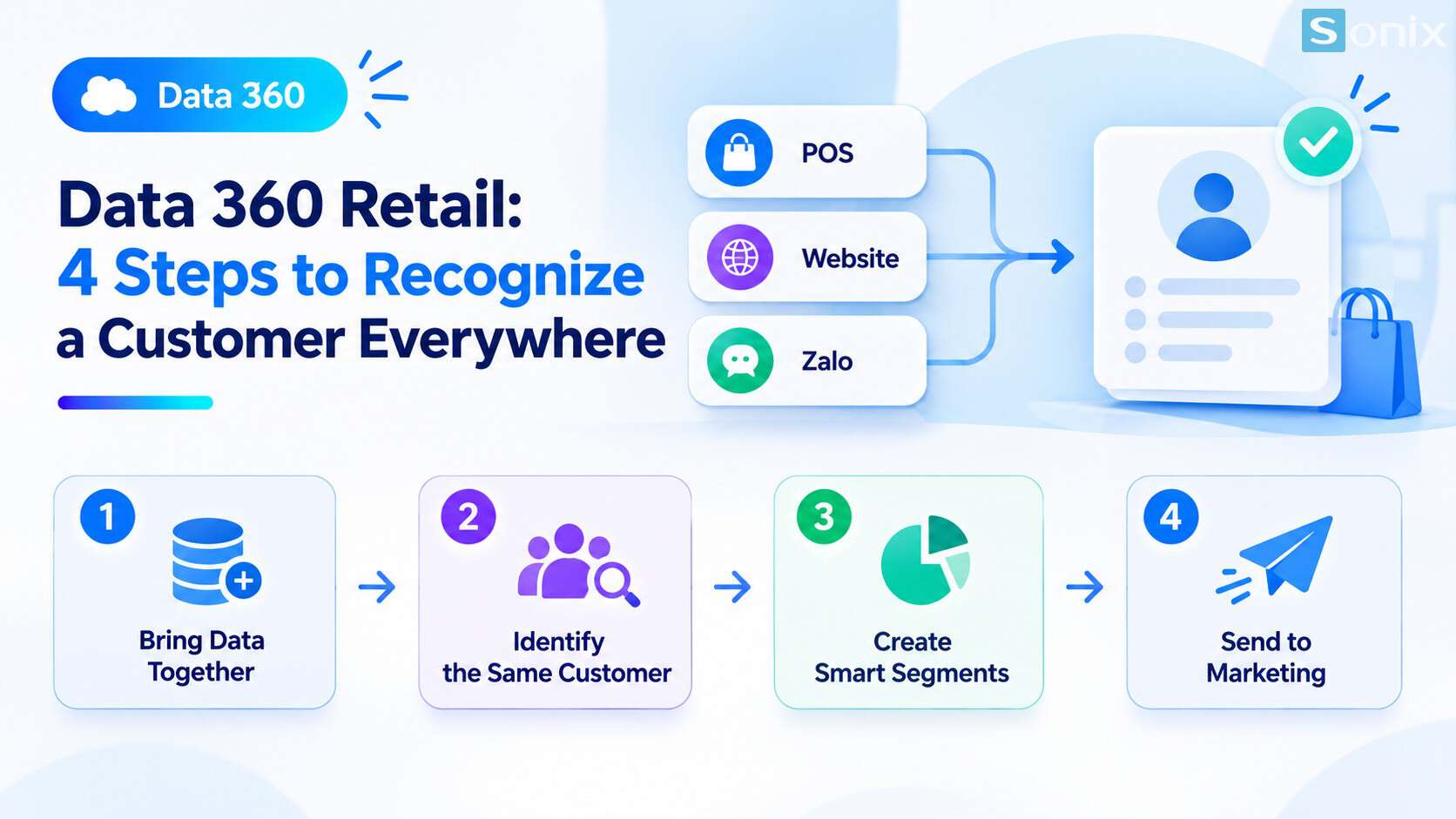
Background: a 15-store chain and three disconnected data sources
Illustrative scenario: a retail chain has 15 stores, an online store and a Zalo OA channel for customer care. Each holds its own piece of data. The question leadership cannot answer is: is the customer buying in store the same one who browsed the website?
| Source | Main data | How customers are identified |
|---|---|---|
| In-store POS | Purchase history at the counter | Usually the phone number, when the customer joins the loyalty program |
| Website | Account, products viewed, abandoned carts | Email, and phone number if the customer enters it |
| Zalo OA | Message engagement, OA follows | Zalo’s own identifier, a phone number may not be available |
Because the three sources do not know each other, the chain hits familiar problems: sending ads to people who just bought, being unable to nudge people who abandoned a cart, and having no shared picture of a customer moving across channels.
Data 360 retail: a 4-step approach
The four steps below follow the platform’s general process. You can practice the matching and unifying part in the Trailhead module on unifying and modeling customer data. If you want the foundations first, read our article Data 360: 4 steps to unify customer data.
Bring the three sources into Data 360
- POS and the website connect through connectors or APIs, depending on the systems in use
- Zalo needs its own integration because it is not an out-of-the-box source. One technical route is to push data in through the Ingestion API, done by the technical team
Recognize the same customer
- Set a match rule: the same email, or the same normalized phone number, counts as one person
- Set a reconciliation rule: when sources disagree, decide which source takes priority
Build segments
- Examples: repeat buyers, cart abandoners, people who only browsed and have not bought
- Segments built on the unified profile reflect behavior across all three channels
Send segments to Marketing Cloud
- Activate segments so the marketing team can send offers to the right people
- Exclude people who just bought from audiences that get ads for the same product
Example: one customer, three traces
Hypothetical example: one customer shows up in three places as follows. All names and details below are sample data.
| Source | Name | Phone | Behavior | |
|---|---|---|---|---|
| POS | Ms. Lan | 0901 234 567 | (blank) | Bought a thermos in store |
| Website | Lan Tran | 0901234567 | lan.tran@example.com | Viewed and abandoned a cart with another product |
| Zalo OA | Lan Tran | (blank) | (blank) | Follows the OA, opened an offer message |
A match rule on the normalized phone number links the POS and website profiles, because 0901 234 567 and 0901234567 are the same number once spaces are removed. From there the chain knows the person who bought in store is the one who browsed the website.
The Zalo profile is harder. With no phone number or email, it can only be linked if the customer provides a phone number or links an account. This is a real limit any tool will hit, so do not expect every Zalo profile to match.
Once unified, the chain can do two simple but useful things: stop sending ads for a product the customer just bought, and gently remind them about the item left in the cart. The article gives no result figures because this is an illustrative scenario.
If you work in retail, see also Sonix’s retail solutions.
Lesson: write phone numbers consistently
Looking back at the example, what decides success in Data 360 retail is not the tool but the input data. If phone numbers are written differently in each place, two profiles of the same person will never meet.
| Collection point | Common situation | What to standardize |
|---|---|---|
| In-store cashier | 0901 234 567, 0901.234.567, +84901234567 | One format, for example 10 digits starting with 0, no spaces |
| Website form | Free-text entry | Validate the format as it is typed |
| Zalo OA | Customers do not leave a number | Ask for the phone number when a relevant offer exists |
| Mixed upper and lower case | Store in lowercase |
Agree on this rule at every key collection point before configuring anything. It is far cheaper than fixing data after it has already flowed into the platform.
What to weigh before you start
Consent and personal data. Unifying data to send offers means processing personal data. Record customer consent and consult the personal data protection rules in force. This is general reference, not legal advice.
Cost. Data 360 and Marketing Cloud have their own licenses, and Data 360 is usually priced by usage. Check the official pricing page and ask for a quote based on your real needs. This is general reference, not financial advice.
Resources. Zalo integration, data standardization and match rule setup all need experienced people. Decide between an in-house team and an implementation partner.
Start small. Pick one concrete use case, such as stopping ads for a product just bought, instead of spreading thin. You can also explore Sonix’s Salesforce solutions (in Vietnamese).
Data 360 retail checklist before unifying data
If your business has many stores and online channels, run through this short list.
☐ Listed your customer data sources: POS, website, Zalo and other channels
☐ Chosen shared fields for matching, such as phone number and email
☐ Agreed on phone and email formats at every collection point
☐ Decided how to integrate Zalo and who will do it
☐ Picked 1–2 concrete use cases, such as repeat buyers or cart abandoners
☐ Set up a way to record customer consent
☐ Asked about licenses and pricing before switching it on
How many stores and online channels does your business have? Leave the number in the comments and the Sonix team will suggest a sensible place to start.
Salesforce
Data 360
Salesforce Marketing Cloud
Customer Experience
Business
Book a conversation with Sonix to review your customer data sources and decide on a sensible starting point, before investing in a data platform.
Sonix: Your success is our happiness.
Leave us your comment