

 Tiếng Việt
 日本語
MuleSoft Composer is a drag-and-drop integration tool for admins and business users that syncs data between Salesforce and other apps without a developer. Picture this: every time a deal closes, someone copies the details into the delivery team’s Google Sheet.
The short answer: the tool comes with ready-made connections to many popular apps, so you can build a flow such as when a deal is won, automatically add a row to a Google Sheet. It suits simple flows at moderate volume. When flows get complex, data volumes are large or you need centralized API management, consider Anypoint Platform. Check the connector list and licensing first, and note that product names are changing.
Important note: the delivery team and the office equipment distributor below are hypothetical examples, not real customers. Salesforce is repackaging this family of products, so names, packages and connectors may differ from what this article describes. Licensing and pricing must be confirmed directly with Salesforce or a partner. Content on cost is general reference, not financial advice.
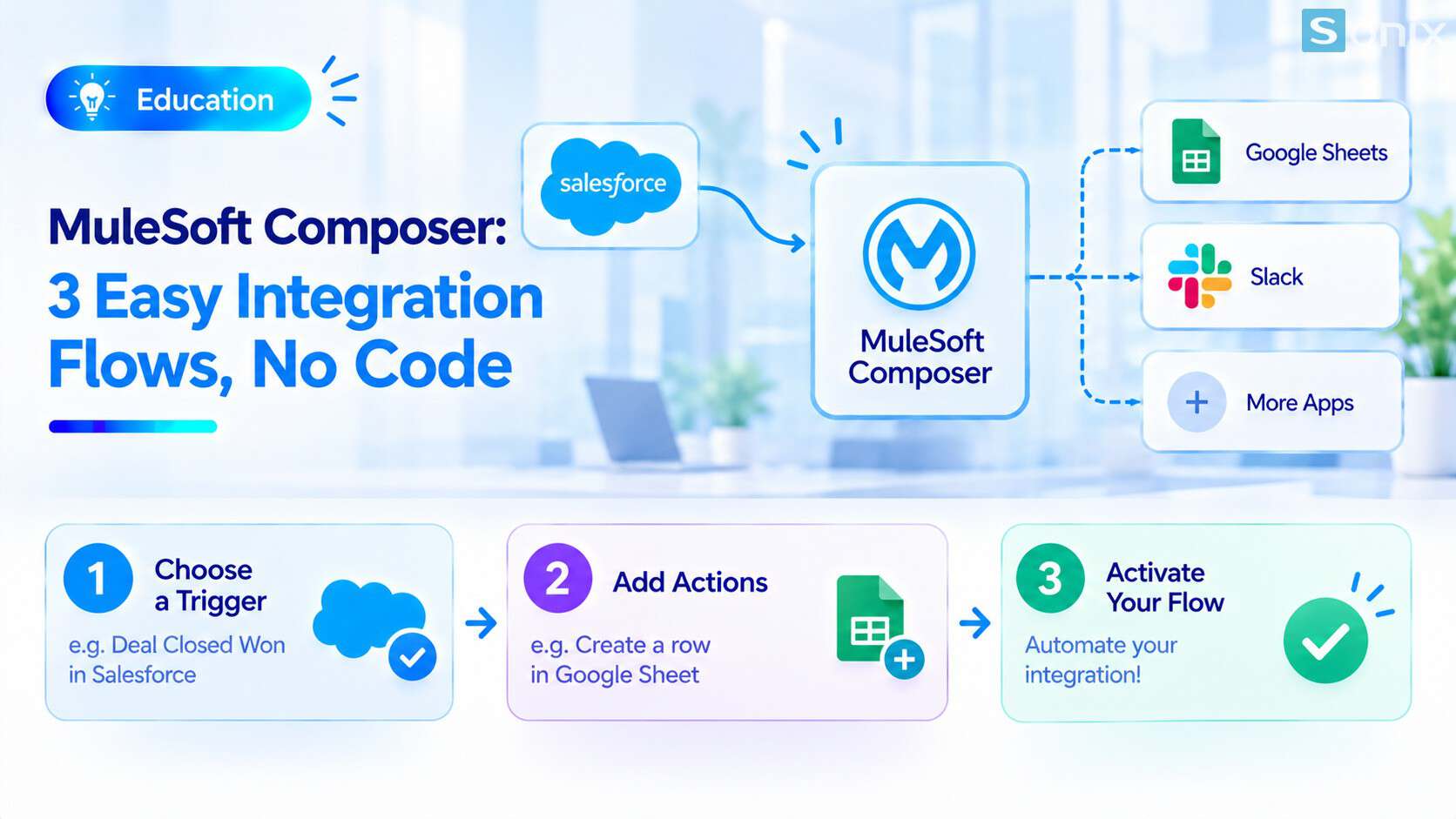 A deal is won in Salesforce, and a new row appears automatically in the delivery team’s Google Sheet.
Why copying between two systems by hand is a problem
Many small businesses sync data by hand. A deal closes, a rep opens Salesforce, then copies the customer name, value and delivery date into a separate file for the delivery team. It takes a few minutes each time, but over a month it adds up to hours, not counting the times someone forgets or mistypes.
| Manual copying | Automated integration flow | |
|---|---|---|
| When it updates | Whenever someone remembers | The moment the deal is won |
| Errors | Easy to forget or mistype | The same rule every time |
| Effort | A few minutes per deal | Set up once |
| Who it depends on | One rep remembering the task | An admin maintaining the flow |
What is MuleSoft Composer and how does it work
According to Salesforce’s press release, MuleSoft Composer is designed for business teams to connect apps with clicks instead of code, using pre-built connectors. A flow usually consists of a trigger event and one or more actions.
Choose the trigger event
- Hypothetical example: an Opportunity moves to closed-won in Salesforce
- You can add filter conditions, such as only deals above a certain value
Choose the action
- For example: add a new row to the delivery team’s Google Sheet, or send the details to another system
- Each app needs a suitable connector
Map the fields
- Choose which Salesforce field fills which column in the destination, such as customer name, value and expected delivery date
- Agree how data is written on both sides to avoid mismatches
Test and turn the flow on
- According to Salesforce’s official product page, the tool offers testing, real-time monitoring and error handling. Test with a sample deal before you turn it on
- Assign someone to watch for errors after it goes live
Names are changing: what to know about MuleSoft Composer
This is the point that needs special attention, and where the brief needs adjusting. Salesforce is repackaging its integration products, so the same capability can show up under several names.
According to Salesforce’s press release, Flow Integration in Salesforce Flow is powered by MuleSoft Composer. In addition, MuleSoft announced MuleSoft for Flow: Integration, a low-code solution for admins and business users that connects popular systems such as NetSuite and Jira. How these names relate to each other and which package is on sale today can change, so confirm directly with Salesforce or a partner.
| Name | Short meaning | To confirm |
|---|---|---|
| MuleSoft Composer | Drag-and-drop integration tool for business teams | Whether it is still sold standalone to new customers |
| MuleSoft for Flow: Integration | Low-code integration used alongside Salesforce Flow | Its exact relationship to Composer and how it is licensed |
| Anypoint Platform | Full integration and API management platform | Fits when flows are complex or need central management |
To understand how the full integration layer works, read our article What Is MuleSoft and when you need a dedicated integration layer.
When Composer is enough, when you need Anypoint
A simple way to choose: start from the complexity and scale of the flow, not from the tool’s name.
| Situation | Composer or an equivalent drag-and-drop tool | Full Anypoint Platform |
|---|---|---|
| Flow complexity | Simple: one trigger, a few actions | Many steps, complex logic and exception handling |
| Data volume | Moderate | Large, many transactions |
| Who builds it | Admins, business users | Needs developers or an integration architect |
| Central API management | Not the main goal | Yes, central management, monitoring and security needed |
| Number of systems to connect | Few | Many, easily tangled if cross-connected |
Hypothetical example: an office equipment distributor only needs to push closed-deal details into the delivery team’s Google Sheet. That is a simple flow that suits a drag-and-drop tool. But if later they need to connect CRM, ERP, warehouse and web store, with large data volumes and frequent changes, a full integration layer deserves consideration.
What to check before you use it
The connector list. The plans once listed on the official pricing page supported different numbers of connectors. Confirm that the app you need to connect has a connector before you commit.
Volume limits. The tool is measured by number of tasks. Estimate how many deals and runs you have each month to see whether it is enough.
License and cost. Pricing is listed as contact for a quote, and the packages on sale may have changed. Ask Salesforce or a partner directly. This is general reference, not financial advice.
Who maintains the flow. No developer needed does not mean no owner needed. An admin should watch for errors and update the flow when the process changes.
Where the data goes. When you push customer data into another app such as Google Sheets, think about who can view that file and whether it holds sensitive information.
If your CRM foundation is not solid yet, read our Salesforce Sales Cloud setup guide in 10 minutes. If you need help, see Sonix’s Salesforce solutions (in Vietnamese).
Checklist before automating with MuleSoft Composer
Before you create your first flow, run through this short list.
☐ Listed the data you copy by hand between two systems
☐ Picked one simple, frequent flow to try first
☐ Checked whether the app you need to connect has a connector
☐ Asked Salesforce or a partner about current names, packages and licensing
☐ Estimated monthly runs against the limits
☐ Tested with a sample deal before turning it on
☐ Assigned an admin to watch for errors and maintain the flow
Which two systems are you copying data between by hand? Leave a comment below and the Sonix team will suggest where to build it.
MuleSoft
Guide
Salesforce Implementation
SME
Book a consultation with Sonix to choose which flows to automate and the integration tool that fits your scale, before you invest.
Sonix: Your success is our happiness.
Leave us your comment