

 Tiếng Việt
 日本語
A Slack deal room is a dedicated Slack channel for one big deal, where sales, technical, legal and management talk together instead of across email and chat apps. Picture this: a 5 billion VND deal, 6 people involved, 3 Zalo groups, 40 emails, and nobody sure which quote is the final one.
The short answer: add the right people to a dedicated channel, link it to the Opportunity record in Salesforce, and let automatic alerts announce stage changes. Rules worth having: open a deal room only for deals above a value threshold, close the channel when the deal ends, and keep recording key decisions in Salesforce.
Important note: the 5 billion VND deal, the sales team and the office equipment distributor below are hypothetical examples, not real customers. Using Salesforce channels needs an admin to configure them, features depend on your Slack plan, Salesforce edition and license, and menu names may differ by release. Content on contracts and legal matters is general reference, not legal advice.
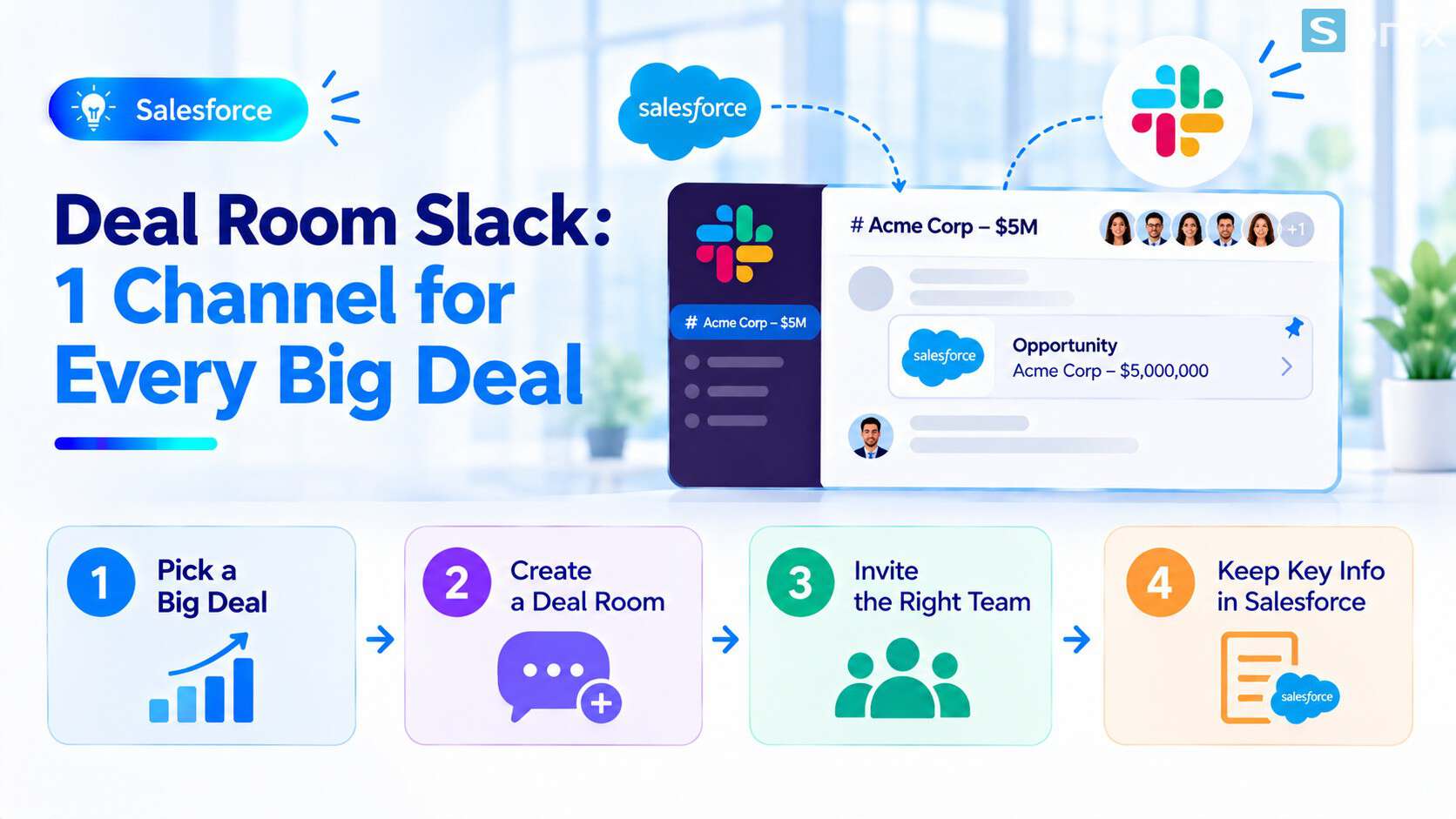
Sales, technical, legal and management talk in one channel tied to the Opportunity.
Why big deals get scattered
Big deals differ from small ones in the number of people involved. Sales work with the customer, technical confirm the configuration, legal review the contract, and managers track price and risk. Each group has its familiar channel: email with the customer, chat apps with colleagues, spoken updates with managers.
The result is information in many places, and anyone joining the deal late has to ask everything again. The table below compares the familiar way with a deal room.
| Scattered email and chat | Slack deal room | |
|---|---|---|
| Where people talk | Many chat groups, many email threads | One channel per deal |
| Someone joining late | Has to ask from the start | Reads the history in the channel |
| The final quote | Hard to know which version is final | Pinned in the channel |
| Details from the Opportunity | Open the CRM and search separately | Visible right in the channel if the record is linked |
What is a Slack deal room and two ways to build one
There are two ways to build a deal room, and it helps to know the difference before you choose.
Option 1: a Salesforce channel linked directly to the Opportunity. According to Slack’s help page on Salesforce channels, this is a type of Slack channel that corresponds to a Salesforce record such as an Account or Opportunity. The channel has a messages tab, a record details tab where you can view and update the record in Slack if you have edit permission, and a related records tab. On Business+ and Enterprise+ plans, there is also an AI-generated summary tab for the conversations. Your permissions in the channel match your permissions on the record.
Option 2: a regular Slack channel. You create a dedicated channel, invite people, pin the Opportunity record link and use automatic alerts when the deal changes stage. It is simple and needs no deep integration setup, but record information does not appear in the channel itself. According to the official Salesforce page, Sales Cloud for Slack uses Salesforce channels as a shared workspace where the team discusses an Opportunity.
| Criteria | Salesforce channel | Regular Slack channel |
|---|---|---|
| Linked to the record | Yes, the channel maps to an Opportunity | Only through a pinned link |
| View and update the record in Slack | Yes, per your permissions | No |
| Setup | An admin must configure it first | None needed |
| Invite people outside the company | Not possible | Depends on your Slack setup |
| Rename the channel | Not possible, the name follows the record | Possible |
4 steps to build a Slack deal room
Below is a suggested process. Menu names may differ by release, and Salesforce channels need an admin to turn them on first.
Pick deals that are big enough
- Set a value threshold so deal rooms exist only for deals that truly need many people
- Hypothetical example: deals above 1 billion VND, or with 4 or more people involved
Create the channel from the Opportunity
- For a Salesforce channel, from the record in Slack choose Create Channel, then create a new one or link an existing one
- For a regular channel, name it by convention, for example customer name and deal code
Invite the right people
- Add the sales owner, technical, legal and management
- According to Slack’s help page, you can automate channel invitations with Workflow Builder. Creating a channel automatically when a deal reaches a threshold can also be done with Flow, but it needs separate setup
Pin things and agree on how to work
- Pin the Opportunity record link, the final quote and key documents
- Turn on alerts for stage changes, but only for important events so the channel does not flood
If you have not turned on deal alerts in general, read our article Slack Salesforce: 4 easy ways to get deal updates first. If your CRM foundation is not solid yet, see our Salesforce Sales Cloud setup guide in 10 minutes.
Rules worth having
A tool only works when the whole team follows a few simple rules. The rules below are worth agreeing on first.
| Rule | Why it matters | Suggestion |
|---|---|---|
| Open only for deals above a threshold | Avoids too many channels nobody can follow | Choose a value or head-count threshold |
| Close the channel when the deal ends | Keeps the channel list tidy, avoids leftover messages | Archive the channel after won or lost |
| Record key decisions in Salesforce | Slack is where people talk, Salesforce holds the official record | Log final price, key terms and the reason for winning or losing on the record |
| One place for the final quote | No more multiple versions | Pin a single copy with the date and approver |
The reason for the third rule: messages in a channel drift away, and people outside the channel cannot see them. If a decision affects revenue or forecasts, it needs to live where the whole organization can look it up.
Notes before rollout
People outside the company. According to Slack’s help page, you cannot invite external people to a Salesforce channel. If you need to talk directly with the customer or outside counsel, use another route and record the outcome on the record.
Data permissions. Access to Salesforce data in the channel matches permissions on the record. People in legal or technical teams need suitable permissions to see Opportunity details. Check before you invite them.
Sensitive information. Think carefully before putting prices, contract terms and customer information into a channel with many people. Content on contracts is general reference, not legal advice.
Plan and license. Features depend on your Slack plan, Salesforce edition and license. Ask your provider before planning.
If you need help with setup, see Sonix’s Salesforce solutions (in Vietnamese).
Slack deal room rollout checklist
Before opening your first deal room, run through this short list.
☐ Chosen a value or head-count threshold for opening a deal room
☐ Decided between a Salesforce channel and a regular Slack channel
☐ Asked an admin to configure it if using Salesforce channels
☐ Checked Opportunity access for the people you will invite
☐ Agreed on channel naming and where to pin the final quote
☐ Agreed to close the channel when the deal ends
☐ Agreed that key decisions must be recorded in Salesforce
How many people were involved in your most recent big deal? Leave the number in the comments and the Sonix team will suggest how to set up a deal room.
Slack
Salesforce Sales Cloud
Best Practices
Business
Book a consultation with Sonix to build a deal room linked to the Opportunity, fitted to your Slack plan and Salesforce edition.
Sonix: Your success is our happiness.
Leave us your comment