

 Tiếng Việt
 日本語
To unify customer data, you start with one very simple question: how many systems does your company’s customer data live in? One quick question, let us count. The number decides whether you need to clean up data, bring customer profiles into one place, or build an integration layer between systems.
The short answer: you can place yourself in one of four levels: 1–2 places, 3–4 places, 5 or more, or not sure. Each level has a different sensible next step. This article helps you count correctly and choose what to do next, then invites you to vote in Sonix’s quick poll on LinkedIn and Facebook.
Important note: this is a quick poll article, so it has no result figures. The office equipment distributor examples are hypothetical, not real customers. The levels and next steps are rough guides, not fixed thresholds. Which tool fits depends on your edition, license and current systems, and menu names may differ by release. Content on cost and investment is general reference, not advice.
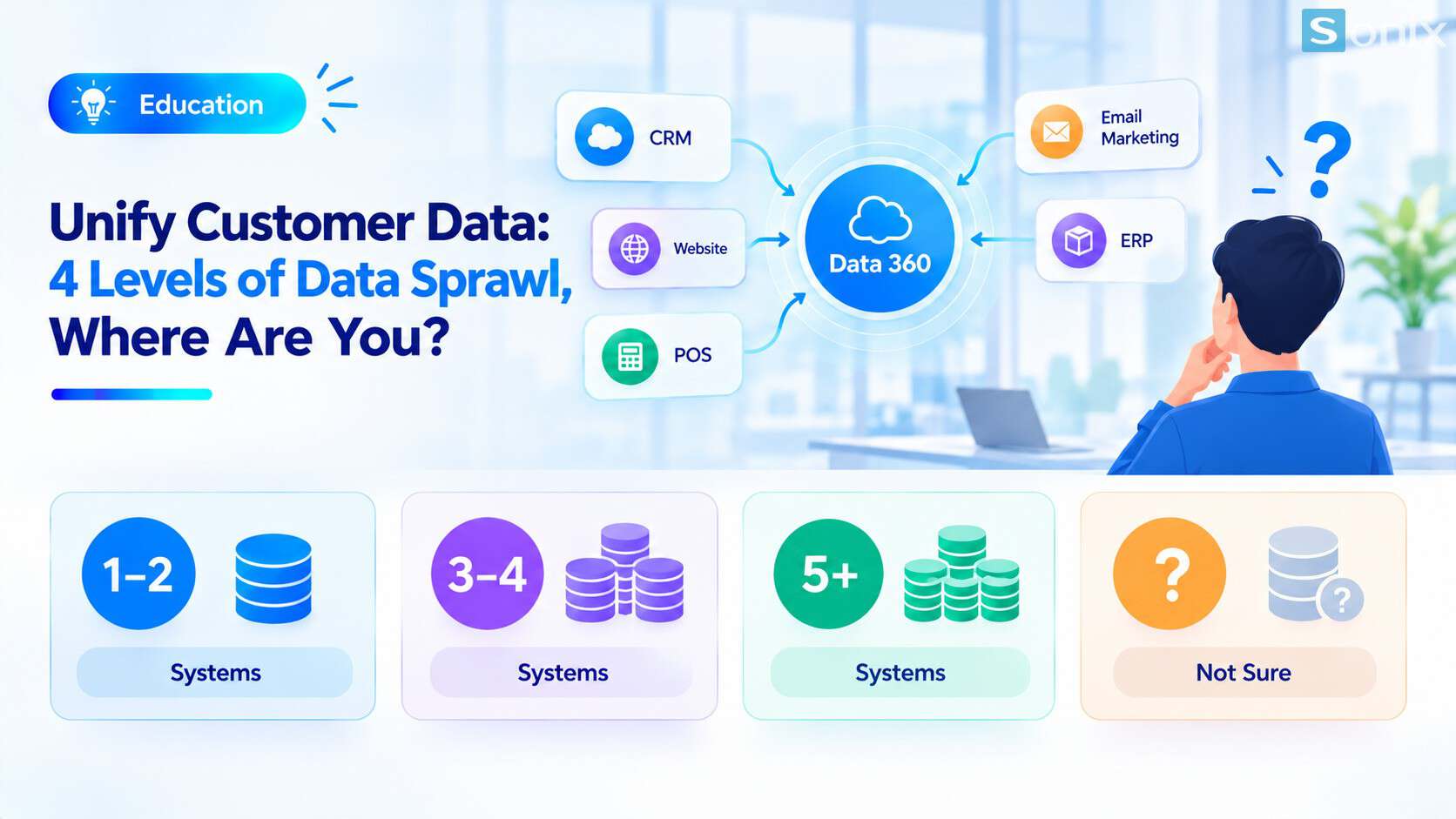 Four levels of customer data sprawl, from 1–2 systems to 5 or more.
Why count your systems before you unify customer data
Many businesses start by choosing a tool, then discover they do not know where their data lives. That is the wrong order. Counting first shows you the real problem and keeps you from investing in a big solution for a small problem, or the reverse.
The more systems you have, the harder simple questions become: how many real customers do we have, what did this customer buy and where, who is looking after them. The table below shows common symptoms at each level.
| Data lives in | Common symptoms | Severity |
|---|---|---|
| 1–2 places | Light duplication, still manageable with data entry rules | Light |
| 3–4 places | One customer with several profiles, two teams’ numbers do not match | Moderate |
| 5 or more places | Nobody holds the whole picture, data stitched together in Excel every month | Heavy |
| Not sure | Cannot assess yet, an inventory comes first | Unknown |
4 levels of sprawl and a next step for each
These are the four poll options. Pick the one closest to your company. The suggestions below are for reference, not fixed thresholds.
A. Data lives in 1–2 places
- You usually do not need a separate platform yet. Prioritize cleaning data and using duplicate rules right in the CRM
- Agree on how to write phone numbers and emails from the start so you do not fix them later
B. Data lives in 3–4 places
- This is when to start considering bringing customer profiles into one place using shared fields such as email and phone number
- Pick 1–2 concrete use cases, for example stopping ads to people who just bought
C. Data lives in 5 or more places
- If systems connect directly to each other, connections grow very fast: 5 cross-connected systems means 10 connections
- Consider both: unifying customer profiles and an integration layer between systems
D. Not sure
- The first step is an inventory: list every place that stores customer information and who owns it
- Do not rush to pick a tool before you have this list
How to count correctly
A common mistake is counting only the official systems. Customer data often sits in places few people mention. Count those too.
| Where customer data may live | What it usually holds | Easy to miss because |
|---|---|---|
| CRM | Leads, Opportunities, contacts | Usually counted first |
| Accounting software, ERP | Invoices, receivables, orders | Managed by another department |
| POS, web store | Purchase history, accounts, carts | Outside the sales team’s view |
| Email marketing, Zalo OA | Subscriber lists, engagement | Managed separately by marketing |
| Personal Excel files | Each rep’s customer list | Nobody knows how many files exist |
Hypothetical example: an office equipment distributor thinks it has two places that store customers: the CRM and the accounting software. After an inventory, they also find an email marketing list, each sales rep’s Excel file and a warehouse system. From two places to five, and their answer moves from level A to level C.
Unify data or connect systems?
These two directions are different and often confused. Unifying customer profiles means recognizing records that belong to the same person and merging them into one profile, which is the job of a platform such as Data 360. You can practice this in the Trailhead module on unifying and modeling customer data, or read our article Data 360: 4 steps to unify customer data.
Connecting systems means making systems exchange data in a controlled way, which is the job of an integration layer such as MuleSoft. See the Trailhead module on connecting external data, or our article What Is MuleSoft.
The two complement each other rather than replace each other. Businesses at level B usually start by unifying customer profiles. Businesses at level C often need to consider both. At level A, the first job is still cleaning data.
3 things to do today
1. List every place that stores customer data. It takes about one short meeting with the departments, but gives you the real picture.
2. Choose shared fields for matching. Usually phone number and email. If two systems have no shared field, you need to know that early.
3. Agree on how phone numbers and emails are written. This is cheap and matters more than any tool. You can also explore Sonix’s Salesforce solutions (in Vietnamese).
Then vote in the quick poll and leave a comment naming the systems you use. The results will help Sonix choose examples for next week’s Data 360 article.
Checklist to unify customer data
Before you vote and talk to an implementation partner, run through this short list.
☐ Listed every place that stores customer data, including personal Excel files
☐ Noted who owns each source
☐ Identified shared fields for matching across sources
☐ Agreed on how phone numbers and emails are written
☐ Placed the company at level A, B, C or D
☐ Picked 1–2 concrete use cases instead of spreading thin
☐ Voted in the poll and named the systems you use
How many systems does your company’s customer data live in? Vote in the poll and comment with the names of the systems. The results will decide the examples for next week’s Data 360 article.
Data 360
Digital Transformation
SME
Business
Book a consultation with Sonix to inventory your data sources together and decide on a sensible starting point, before investing in a platform.
Sonix: Your success is our happiness.
Leave us your comment