

 Tiếng Việt
 日本語
日本語You’re using another CRM, have built up years of customer data, and are considering a move to Salesforce. But the biggest worry that keeps a lot of people stalling on the decision is: will all that transaction history, notes, and contact information get lost or corrupted during the switch?
The short answer: in principle, data can absolutely be migrated if your old system supports exporting in a standard format. The risk of losing data usually comes from rushing the process and skipping checks before and after, not from switching platforms itself.
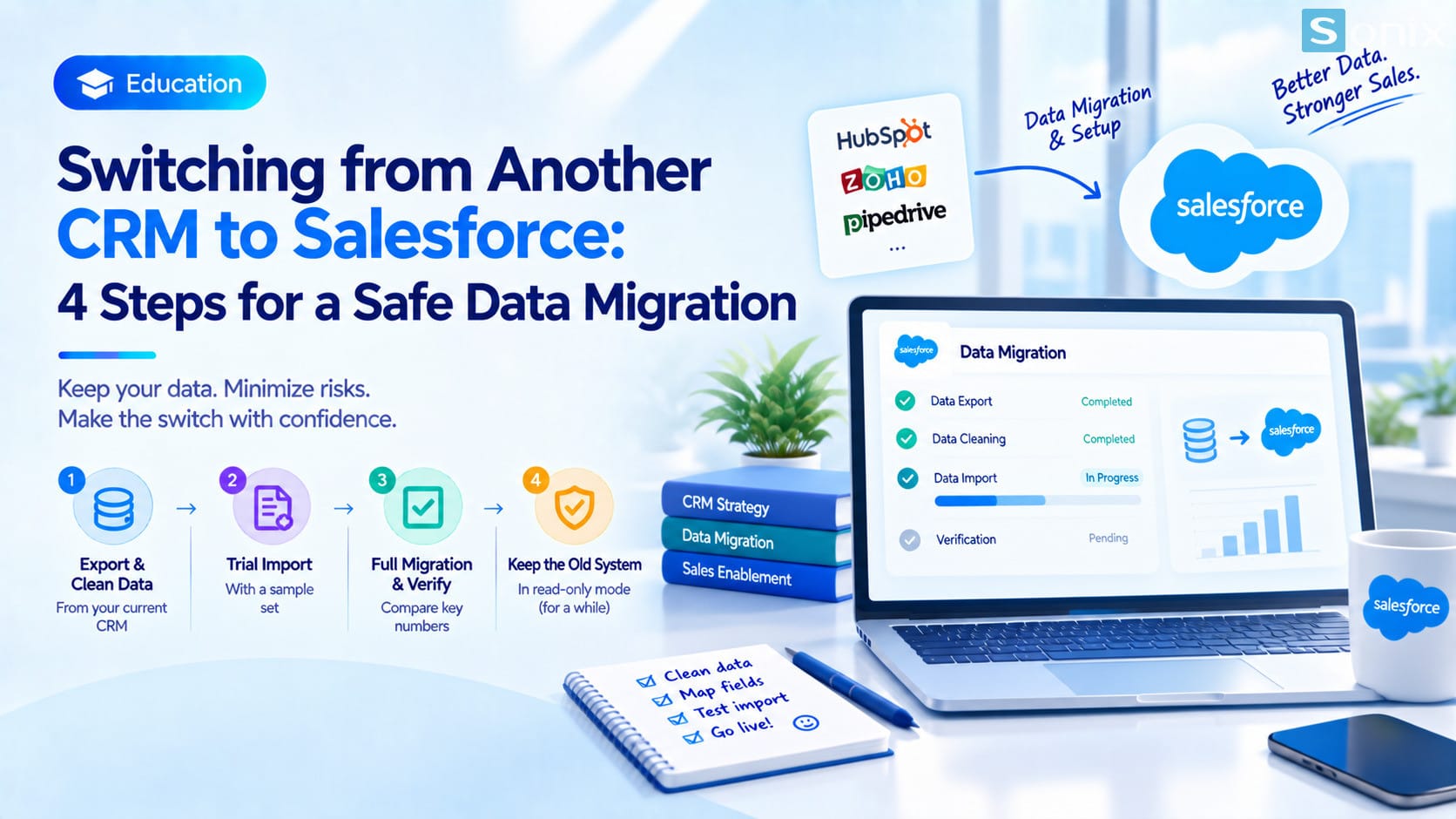 Switching from another CRM to Salesforce: a safe data migration process
Table of Contents
The general rule
In Principle, Does Data Get Lost
Most popular CRMs on the market, whether HubSpot, Zoho, Pipedrive, or internally built systems, support exporting data as CSV or Excel files. This is the standard format Salesforce can import through the Data Import Wizard or Data Loader, depending on data volume.
Technically, migrating data between two CRM systems isn’t a rare or unusually risky operation. It’s a process that Salesforce implementation partners have carried out many times, with verification steps that have long been standardized.
Where the risk lies
Where The Actual Risk Of Data Loss Comes From
The biggest risk isn’t Salesforce being “unable to read” old data, it’s the exported data being incomplete or malformed right from the old system, like fields getting character-truncated on export, or relationships between records (which customer belongs to which company) not surviving the flattening into a spreadsheet.
The second risk comes from importing all the data in one single pass without first testing on a small sample set, so formatting errors only get discovered after thousands of records have already been loaded into the new system.
A third risk, rarely mentioned but fairly common, is no one reconciling the overall totals before and after migration, like total customer count or total open deal value, so if any records go missing, no one notices until it’s too late to go back to the old data source.
The safe process
A Safe Data Migration Process
Export and clean the data from the old system
Export everything you need, remove duplicates, and standardize formatting before even thinking about importing, exactly as covered in the post on preparing your data before migrating to Salesforce.
Test import with a small sample set
Pick around 50-100 representative records to import first, check that the data displays correctly and fields map accurately, before importing everything.
Import everything and reconcile the totals
After the full import, immediately reconcile key overview numbers: total customer count, total deal count, total open deal value, against the old system’s figures before losing access to it.
Keep the old system in read-only mode for a while
Don’t cancel the old system’s account right away, keep it in read-only mode for at least a few weeks, so you can cross-check if a gap is discovered after the team has already started using the new system.
Special cases
Cases That Are Harder To Migrate Than Usual
Attachments (documents, contracts, images) are usually harder to migrate than ordinary tabular data, since some old systems don’t allow bulk-exporting attachments all at once, requiring separate handling or manual downloading.
Data with complex structure, like a customer linked to multiple contracts, multiple contacts, and years of interaction history, also requires more planning effort to ensure these relationships survive the move, instead of ending up as disconnected, standalone rows of data.
Before you start
Questions To Ask Your Implementation Partner Before Starting
Ask clearly how the implementation partner will handle attachments, whether they’ll test import with a sample set first, and who’s responsible for reconciling the numbers afterward, you or them.
Also ask about the contingency plan if gaps are found after the full switch, like how long the old system will be kept, and what it costs if additional data needs importing later.
Losing data during a CRM switch isn’t an unavoidable risk, it’s a consequence of skipping the verification steps. With a properly planned process, moving from another CRM to Salesforce is no different from moving into a new house: everything can come with you, as long as it’s packed and checked carefully.
Considering a switch from another CRM to Salesforce?
Book a free consultation to get a specific risk assessment for the exact type of data your company has.
Sonix: Your success is our happiness.
Leave us your comment